FreeBSD as a Daily Driver Operating System in 2021
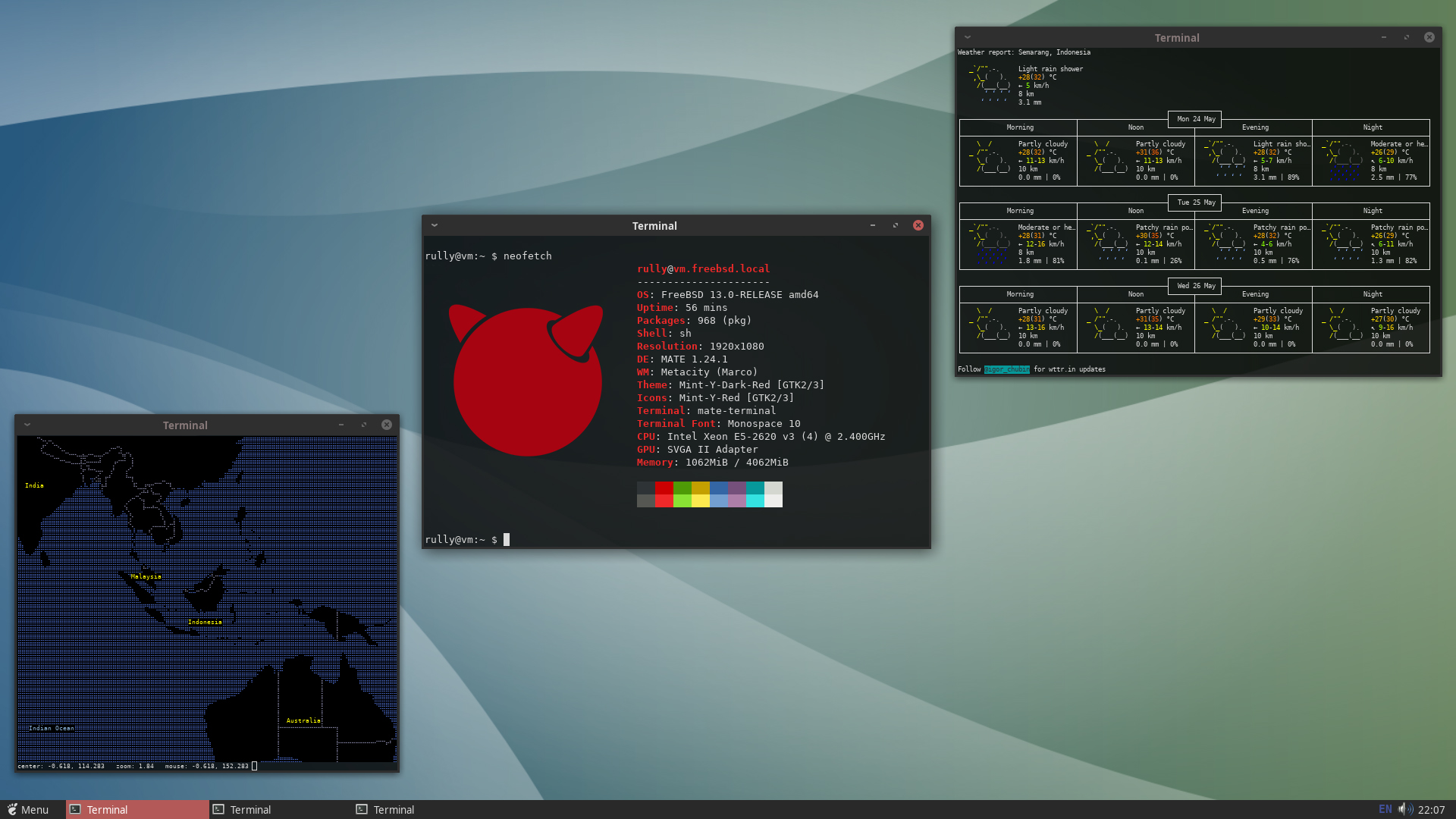
When talking about operating systems (OS) commonly used in daily life, I’m sure many people are used to and familiar with Windows. Some also use macOS, but unfortunately, macOS is essentially limited to Apple devices. For tech enthusiasts, GNU/Linux is certainly familiar. But what about FreeBSD?
Ancestrally, macOS, Linux, and BSD come from the same family tree. The difference is that macOS succeeded in the desktop realm, while Linux and BSD are mostly used on servers. Even so, many people use Linux and BSD as their daily desktop operating systems.
In this article, we will discuss the possibility of using FreeBSD as a daily desktop operating system. Note that this article is not a step-by-step tutorial, but rather a proof of concept. If you want to try it yourself, Google and YouTube provide plenty of tutorials you can follow.
Let’s get straight to the main point. We’ll use FreeBSD 13.0. An ideal desktop operating system in 2021 should be capable of:
- GUI and built-in system accessories
- Internet connectivity and social media access
- Multimedia consumption (video playback, YouTube, Netflix, Spotify, etc.)
- Document and spreadsheet manipulation
- Simple photo and/or video editing
- Online meetings
Let’s break them down one by one!
GUI and Built-in Accessories
By default, FreeBSD does not offer a GUI out of the box. Users must download and install it themselves. Options include GNOME, KDE, Xfce, or MATE, similar to most Linux distributions. Since I prefer a minimalist and lightweight look, I chose MATE.
To make the process easier and simpler, I used an installation script by Felix Caffier, which you can access on this GitHub link.
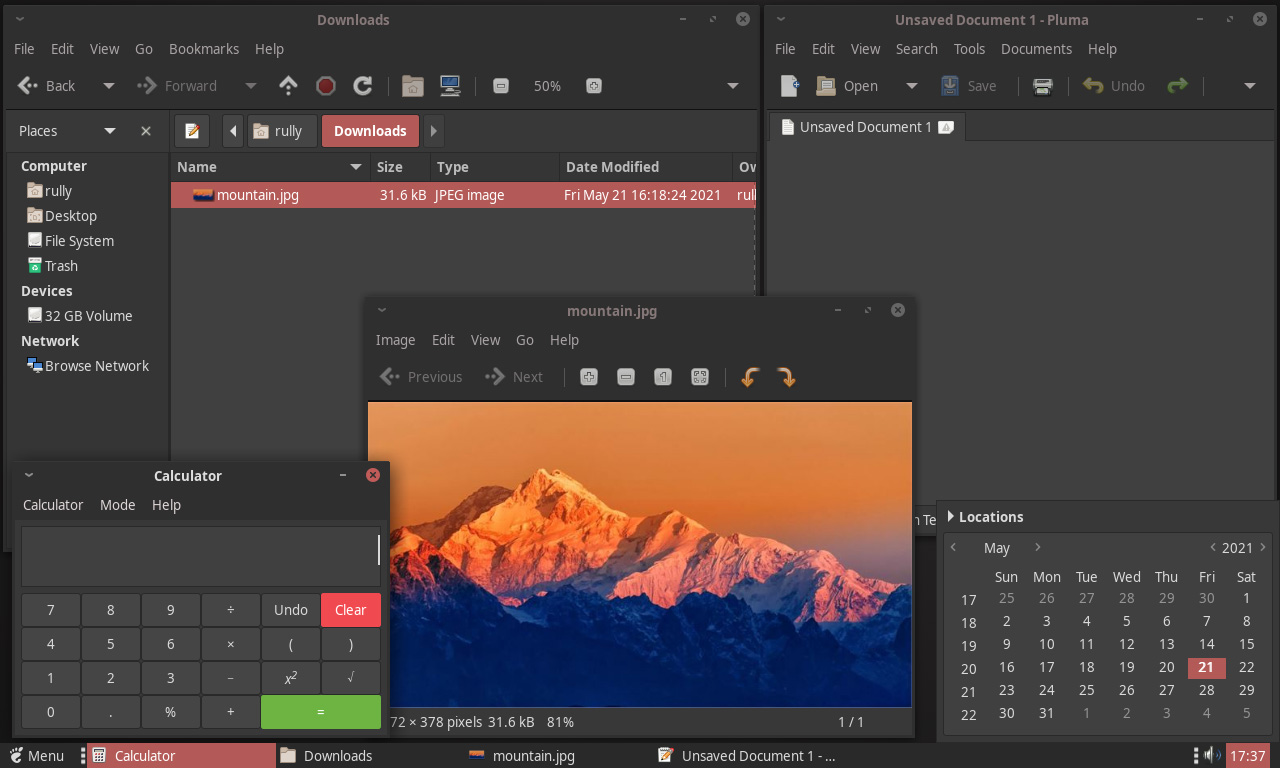
The MATE desktop offers fairly complete features for a daily driver, such as a file manager, calendar, text editor, image viewer, calculator, etc. For me, these are more than enough. Missing features like a video player can be easily installed via the pkg command in the terminal, which I’ll discuss in the next section.
Internet Connectivity
FreeBSD has good support for internet connectivity. Popular web browsers like Firefox and Chromium are always updated to the latest versions, just like on Windows, macOS, and Linux. Thus, it’s almost certain that all websites will open correctly.
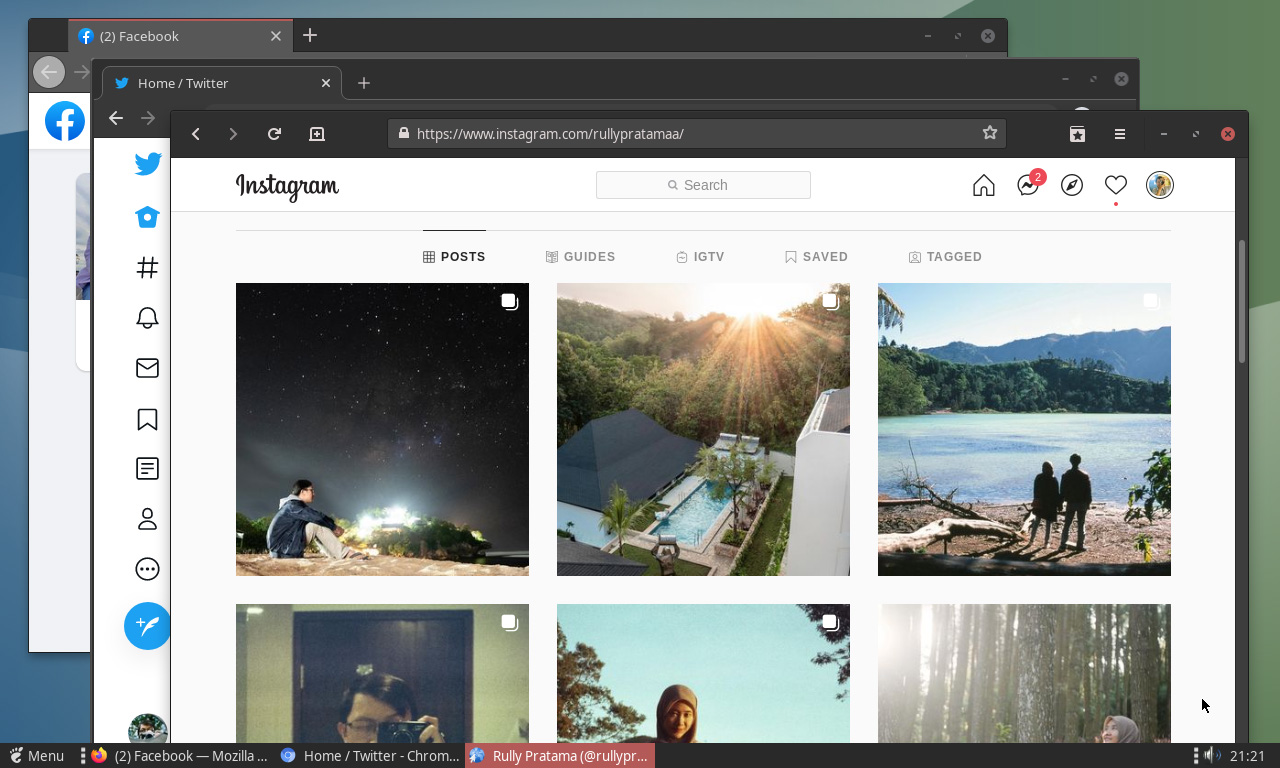
I tried Firefox, Chromium, and Epiphany — the default GNOME browser — to browse Facebook, Twitter, and Instagram. I also used them to post on Facebook and create new tweets. Everything ran smoothly, just like using any other operating system.
Interestingly, when I tried logging into Instagram using the Epiphany browser, Instagram automatically sent a notification to my email about the login attempt. The operating system I was using was correctly detected as FreeBSD. However, the notification stated I was using Safari!

This is explained by the fact that Epiphany uses WebKit as its engine, just like Safari and several other browsers.
Multimedia and Entertainment
A daily operating system isn’t complete without entertainment. Music and videos are often used as breaks from work. How does FreeBSD meet these needs?
The FreeBSD repository provides music and video player options comparable to Linux distributions. I easily installed Rhythmbox for music, and VLC and mpv for video, using the pkg command. With these, playing local media files is not an issue.
YouTube consumption is also smooth, thanks to support for up-to-date web browsers. In my tests, YouTube videos could be played up to 1080p without much frame drop using Firefox and Chromium. Of course, this also depends on the computer specifications.
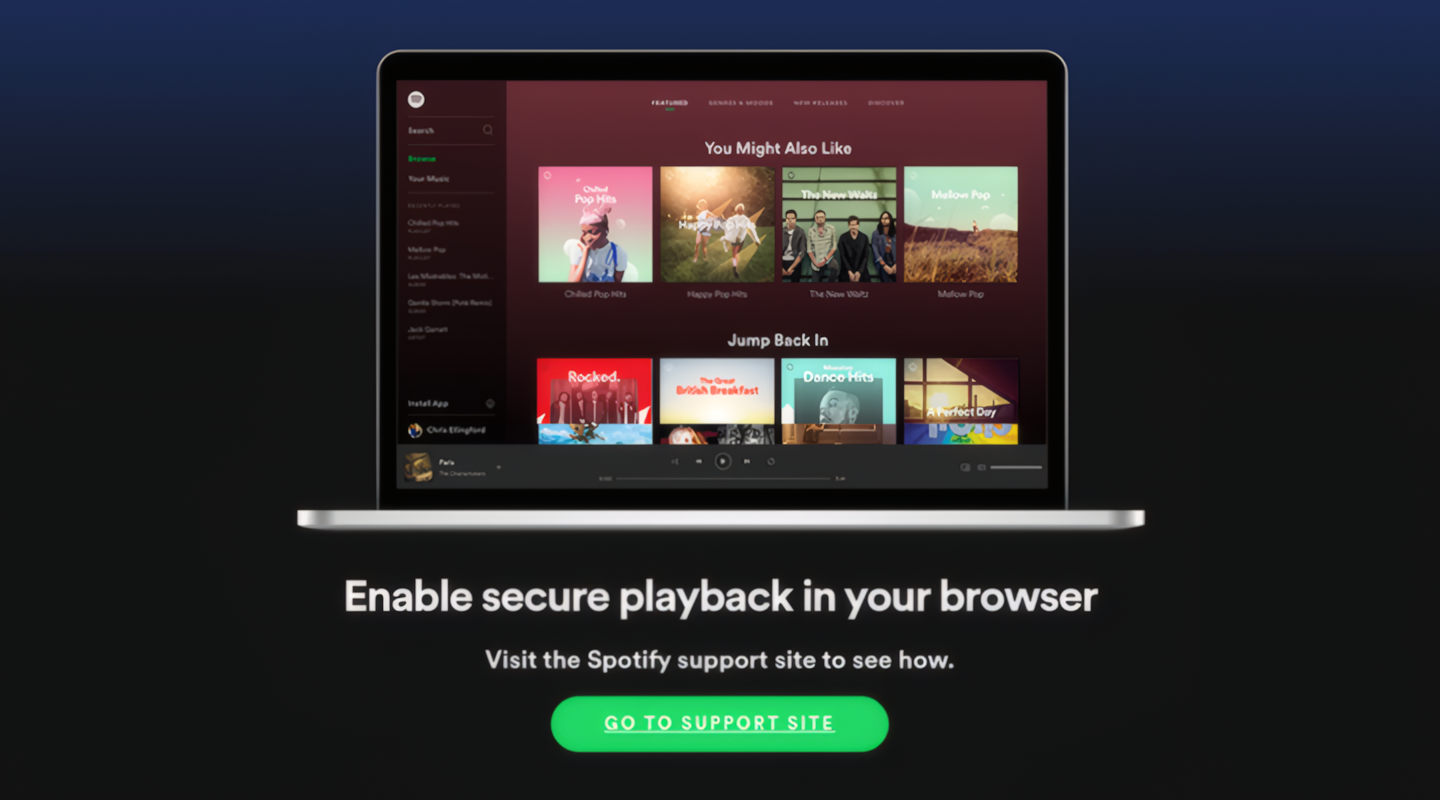
Issues begin to arise when FreeBSD is used to play DRM-protected media like Netflix and Spotify. First, there are no native applications for either platform on FreeBSD, meaning no official support. On other operating systems, even without a specific app, Netflix and Spotify can still be accessed via the browser. Unfortunately, not on FreeBSD.
This leads to the second problem: the absence of a DRM module in web browsers available on FreeBSD. Thus, sites like Spotify and Netflix refuse to work, displaying error messages like the one above.
So far, there is no solution for Netflix. Spotify can still be used using a command-line application in the terminal. While not an elegant solution, for those who don’t mind being called a “freak,” it’s a fun alternative to try.
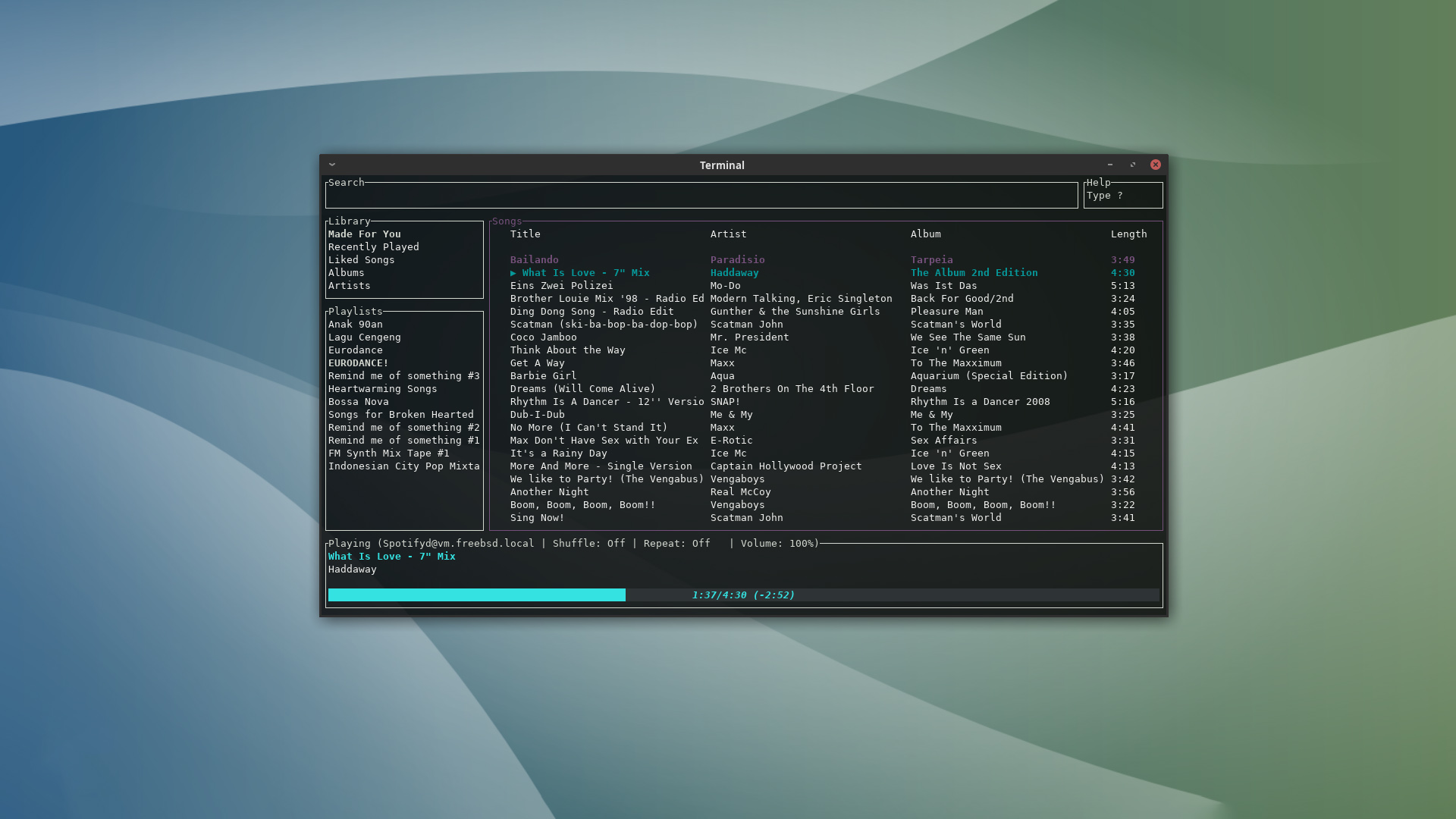
Two applications make this possible: spotify-tui and spotifyd. Both are available on various operating systems. Installation instructions for FreeBSD can be found here and here.
Document and Spreadsheet Manipulation
Regarding documents and spreadsheets, the de facto standard is Microsoft Office. Regardless of how one gets it, Microsoft Office is widely used. Like Linux, there is no native Microsoft Office application for FreeBSD, leaving two alternatives.
Native Office Suite on FreeBSD
Several open-source alternatives are available, including LibreOffice and Apache OpenOffice. Both have very similar features since they originate from the same root. However, in terms of UI and compatibility with MS Office files, LibreOffice is better.
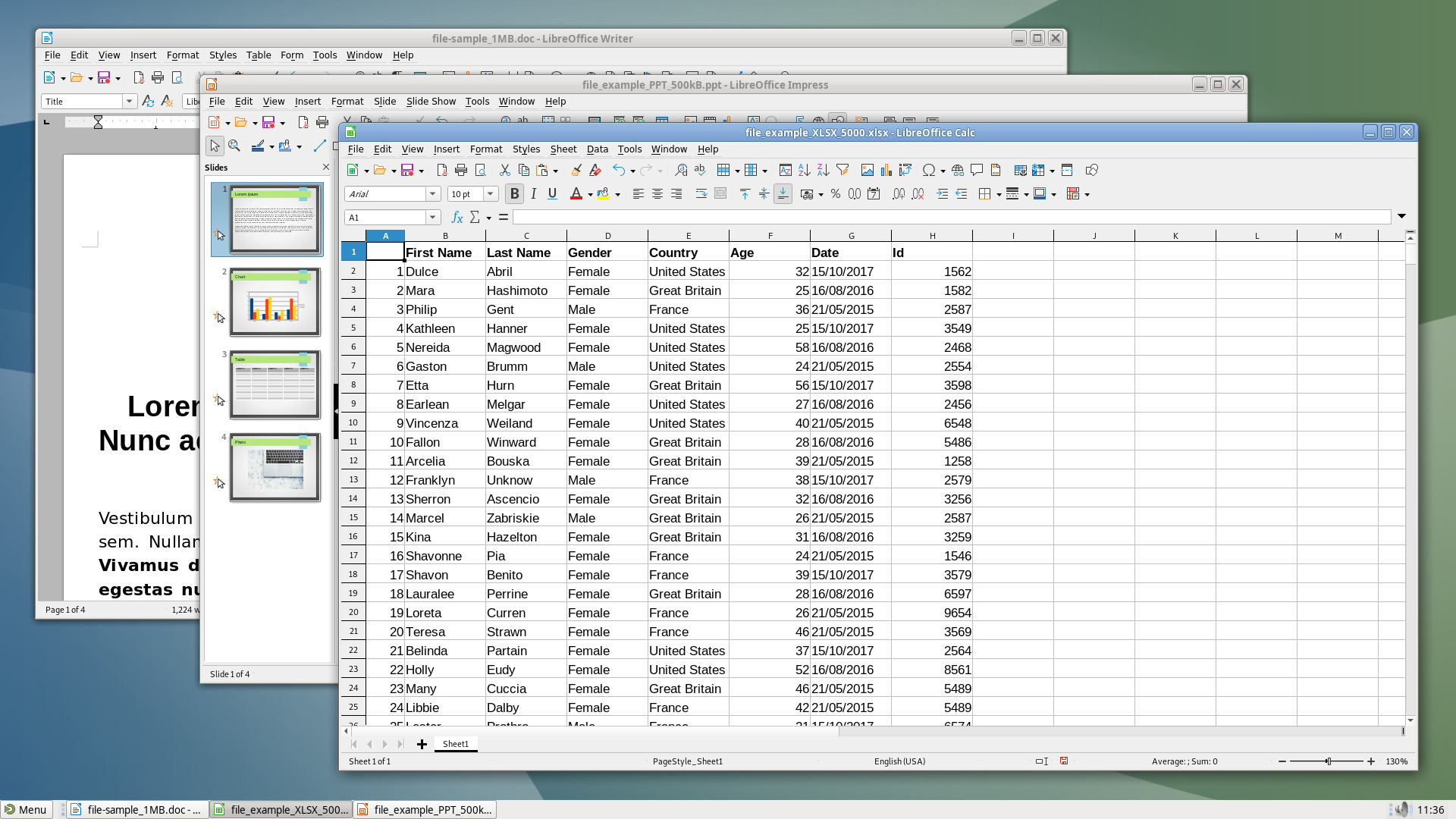
Lighter alternatives are available if full features and MS Office compatibility aren’t critical, such as Abiword for word processing and Gnumeric for spreadsheets.
Web-based Office Suite
Working online has become the norm. Collaborating on the same platform to create documents is now easier, using web-based office suites like Google Docs and Microsoft Office Online.
The advantage here is that no installation is required, only a capable web browser. Fortunately, as discussed, web browser options on FreeBSD are diverse and always updated.
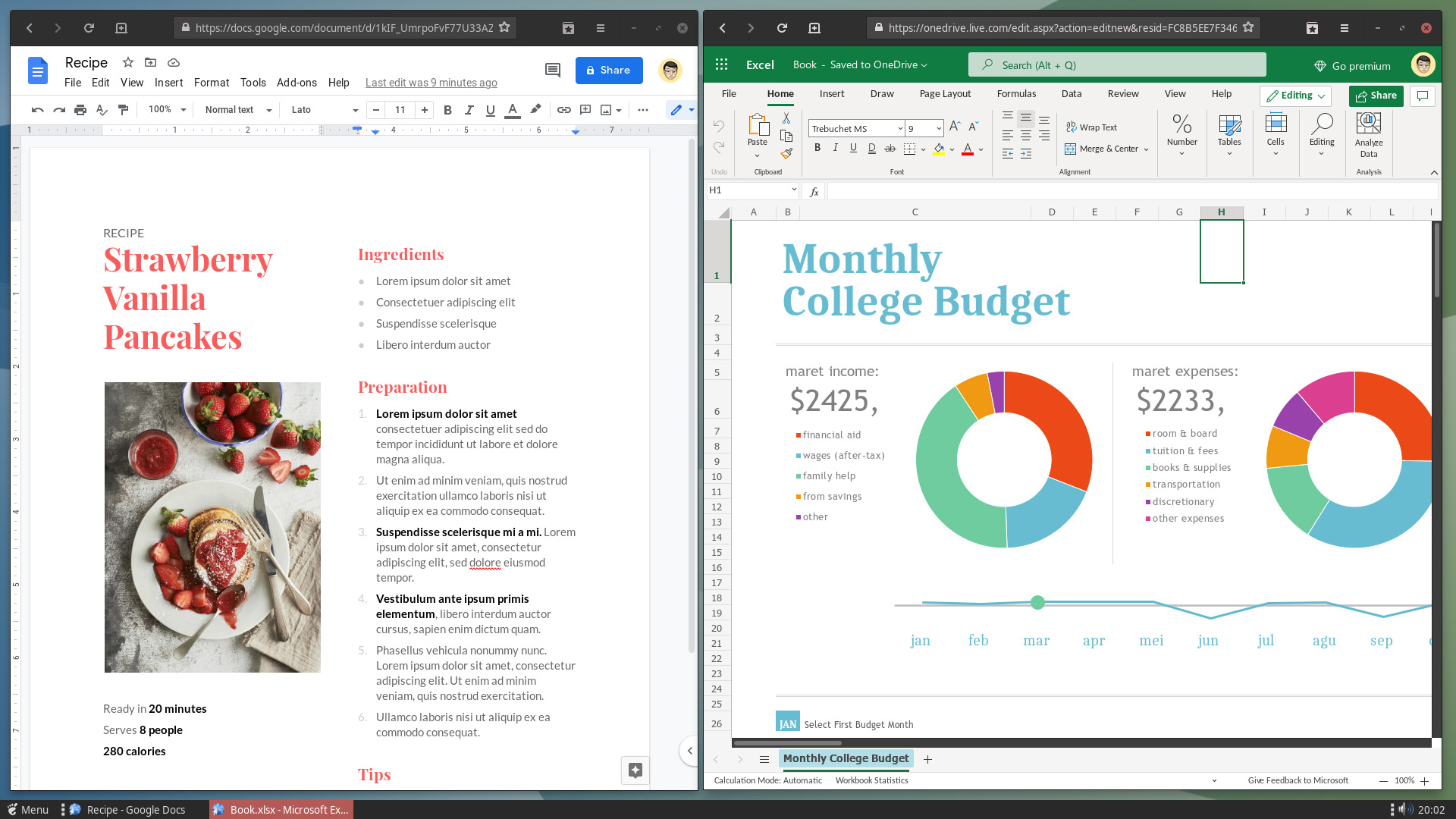
However, remember that most web-based office platforms require users to store files in their online storage. I don’t think this is an issue, as almost everyone has a Google or Outlook account nowadays.
Simple Photo and Video Editing
FreeBSD has never been widely known as a desktop OS, let alone a photo and video editing workstation. That title usually belongs to macOS and Windows, where hardware acceleration is broadly accessible and commercial editing apps are primarily available.
Here are some free or open-source editing apps available on FreeBSD that can be installed via pkg:
- GIMP — Adobe Photoshop alternative
- Inkscape — Adobe Illustrator and CorelDRAW alternative
- Scribus — Adobe InDesign alternative
- Darktable and RawTherapee — Adobe Lightroom and Affinity Photo alternative
- Kdenlive — Adobe Premiere Pro, Final Cut Pro, and DaVinci Resolve alternative
Online Meetings
Due to the current pandemic, many jobs are handled online, including meetings. As a daily operating system, it wouldn’t be complete if it couldn’t handle online meetings.
In this area, FreeBSD clearly looks like a “stepchild” compared to Linux. Several platforms that have Linux apps — like Zoom, Microsoft Teams, Slack, and Discord — are not available on FreeBSD. Therefore, users must settle for using a web browser.
Recently, a zoom-video-conferencing-client package became available via pkg. This Zoom app uses a Linux compatibility layer, which comes with limitations: audio doesn’t work, and users must log in every time the app opens.
Thus, the online meeting experience on FreeBSD is less than ideal. Read David Schlachter’s article on the same topic here.
Final Words…
It’s been an enjoyable experience using FreeBSD as a desktop for the last few weeks.
FreeBSD is a robust, secure, and stable operating system. Major services like Yahoo!, WhatsApp, and Netflix use or have used FreeBSD as their backend servers. But as a desktop OS? It’s rarely heard of.
From my tests, I conclude that FreeBSD can be used for daily tasks. However, that doesn’t mean I recommend it. Again, this article is a proof of concept, so feel free to use whatever operating system you think is best for you.
Stay curious! ✨