Tool: GOPupd
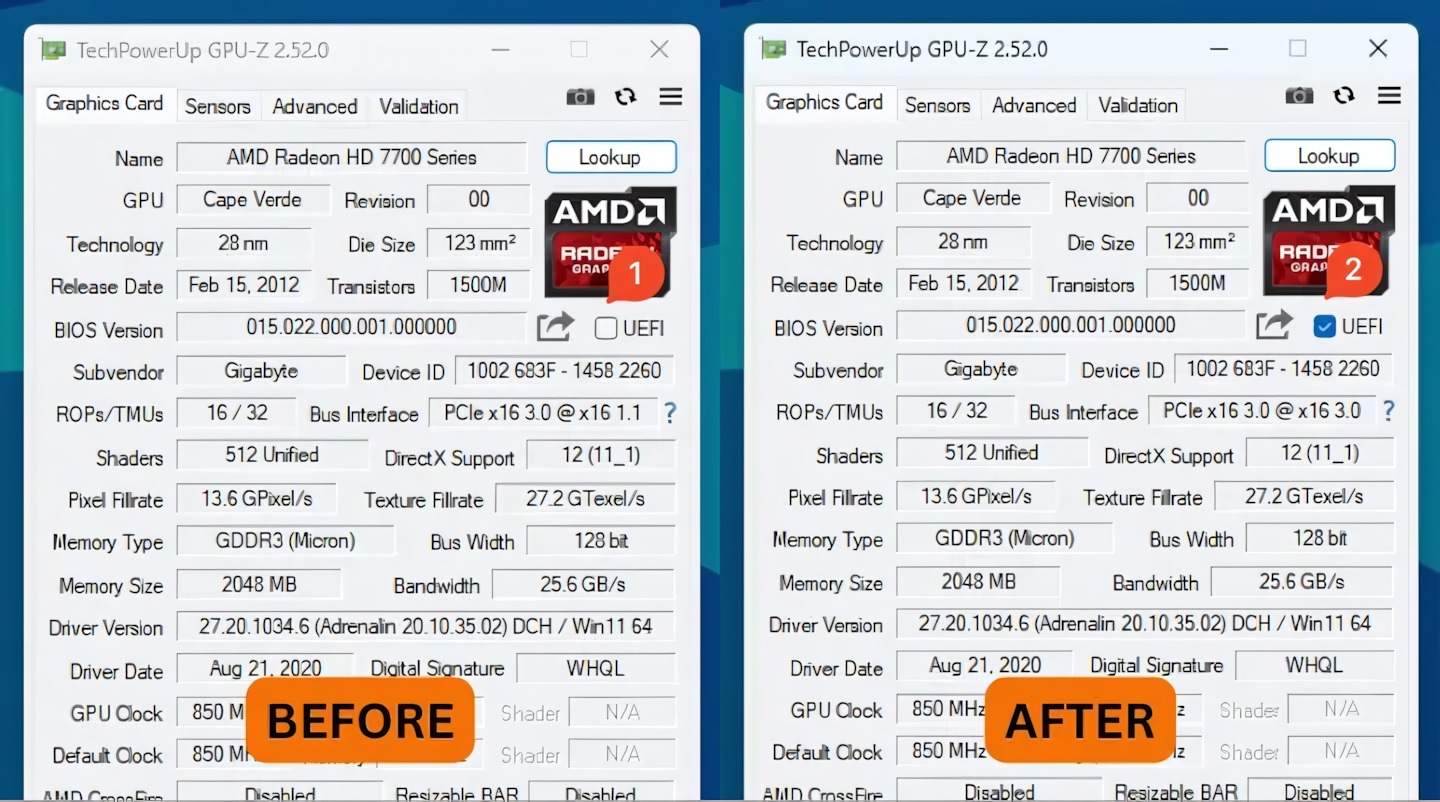
A while ago, I bought an AMD Radeon HD 7750 GPU from Facebook for 350,000 rupiah. I deliberately bought this old GPU for Hackintosh purposes. AMD GPUs are known for having excellent compatibility with macOS compared to Nvidia. When I paired this GPU with an Intel 12th Gen platform, the display only appeared on the monitor once the booting process reached the Windows login screen. Initially, I thought the GPU I bought had a defect, but I was wrong.
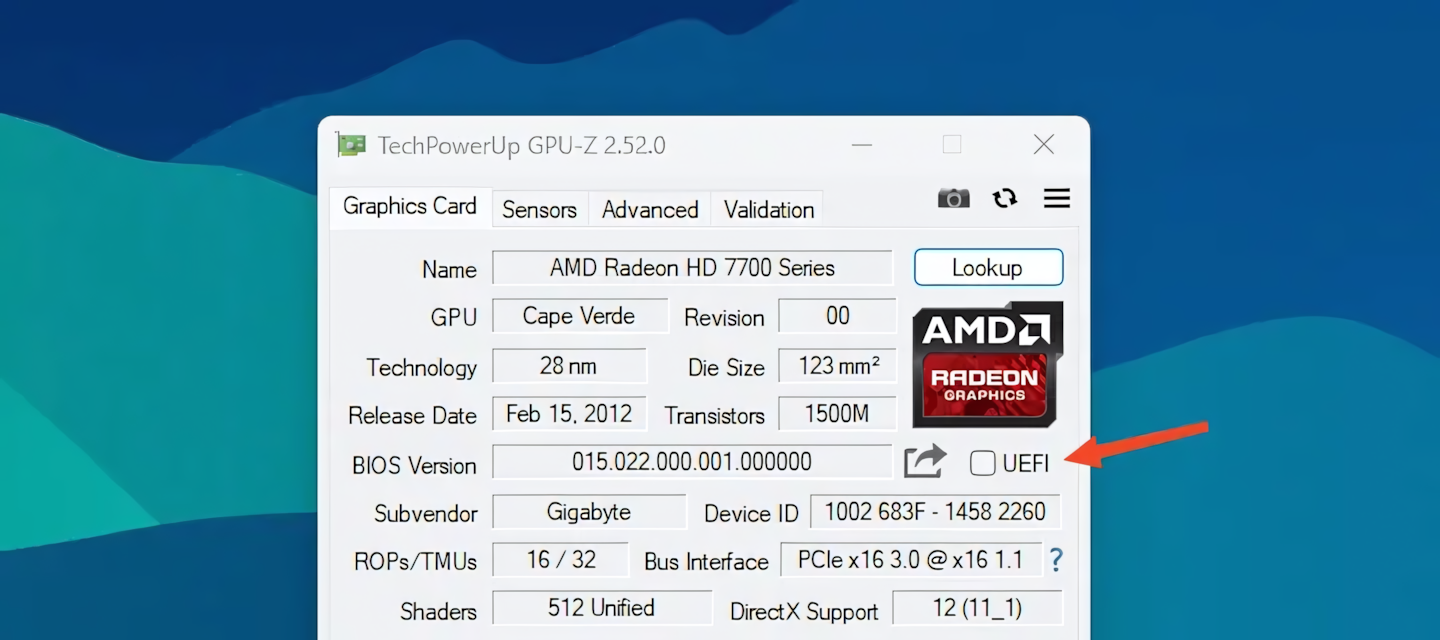
After I researched various internet forums, the reason why a black screen appeared during the booting process was that the GPU I installed was too old to support booting in UEFI-only mode (non-CSM). Older GPUs usually do not have UEFI firmware in their Video BIOS. Whether a GPU has UEFI firmware or not can be seen with the GPU-Z tool.
The GOPupd tool functions to insert GOP information into the Video BIOS, making older GPUs UEFI-compatible. Not just AMD GPUs, this tool can also be used for Nvidia GPUs. However, not all older GPUs can be ’tricked’. Here is a list of compatible GPUs:
- AMD: HD 6xxx, 7xxx series, or newer.
- Nvidia: Series with GT21x, GF10x, GF119, GK1xx/GK2xx, GM1xx, GM2xx chips, or newer.
The steps to be taken are:
- Extract the original Video BIOS (VBIOS) from the GPU you’re using (easiest way is using GPU-Z, then click the share button under the manufacturer logo).
- Run the GOPupd tool then drop the original VBIOS file we obtained from step 1.
- Re-flash the VBIOS to the GPU (For AMD use ATIFlash, for Nvidia use NVFlash).
Keep in mind that any risk of damage is your own responsibility ✌️
Here are some useful links (including download links):