Besides Resolution, Also Pay Attention to Diagonal Size When Buying a Monitor
A while ago, I bought a Lenovo ThinkVision P24q-10 monitor – a 1440p resolution monitor with a 24-inch diagonal size – to replace my broken 1080p monitor. I had researched various things beforehand, ranging from panel type, resolution, and dimensions, to reviews scattered across the internet. However, when the monitor I ordered arrived, I was disappointed because the display space I got was not what a 1440p monitor should be. Why could this happen?
I chose a 1440p monitor because I wanted to upgrade from the 1080p I previously used. With a higher resolution, I hoped to get a wider display space than 1080p. I chose the 24-inch diagonal size because at that time I thought I would like the high pixels per inch (PPI) look, hoping for sharp images.
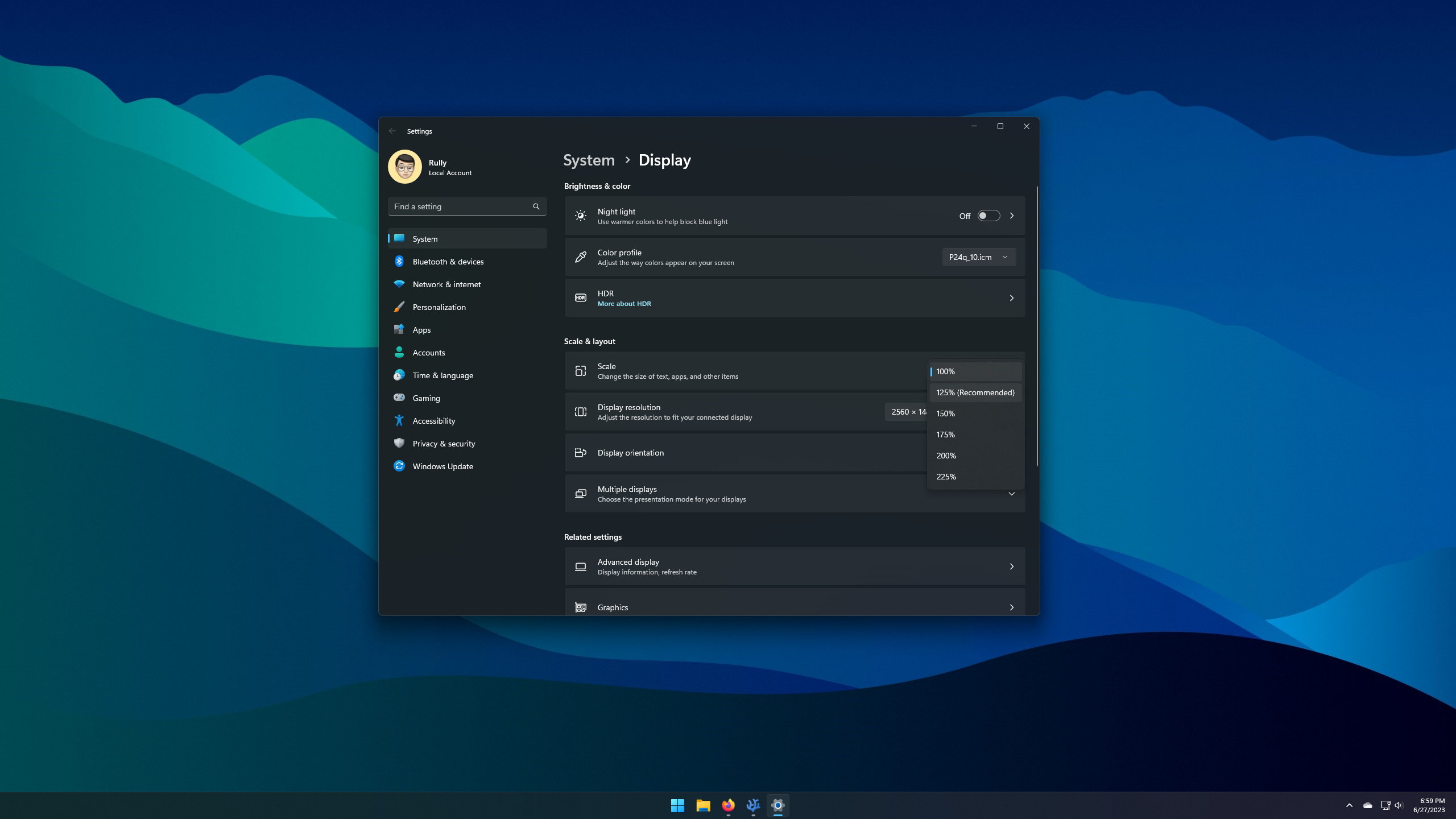
My hopes were immediately dashed when Windows automatically selected a Scale of 125% for my monitor. Let’s first calculate the PPI of a 24-inch 1440p monitor with the following formula:
$$PPI = \frac{diagonal~in~pixels}{diagonal~in~inches}$$$$PPI = \frac{\sqrt{width^{2}+height^{2}}}{diagonal~in~inches}$$$$PPI = \frac{\sqrt{2560^{2}+1440^{2}}}{24}$$$$PPI = \frac{\sqrt{8627200}}{24}$$$$PPI = \frac{2937.2}{24}$$$$PPI = 122.4$$With a scaling of 125%, the perceived PPI will be:
$$Perceived~PPI = PPI + \left ( PPI \times \left ( 1-1.25 \right ) \right )$$$$Perceived~PPI = 122.4 + \left ( 122.4 \times \left ( 1-1.25 \right ) \right )$$$$Perceived~PPI = 91.8$$A PPI of 91.8 is the PPI for a 1080p resolution monitor with a 24-inch diagonal. Yes, Windows made my 1440p monitor feel like a 1080p monitor! Worse, with this scaling, toolbar icons, images displayed in the browser, and even some text looks blurry. This happens because the scaling performed is not integer scaling.
Why Not Just Return to 100% Scaling?
Based on my observations, the ideal pixels per inch (PPI) for Windows is 96 for low-DPI and 192 for high-DPI, while for macOS it is 110 for non-retina and 220 for retina. It doesn’t have to be exactly those numbers; monitors with PPI close to those values are still comfortable to use. But remember, the smaller the PPI value, the larger the display appears on the screen, and conversely, the larger the PPI, the smaller the display appears on the screen.
Back to my 1440p 24-inch monitor which has a PPI of 122.4, Windows feels that the display on the screen would be very small if using 100% scaling, so it automatically changes it to 125% or a PPI of 91.8 which is more comfortable for the eyes. Here is a comparison of 100% vs. 125% scaling.
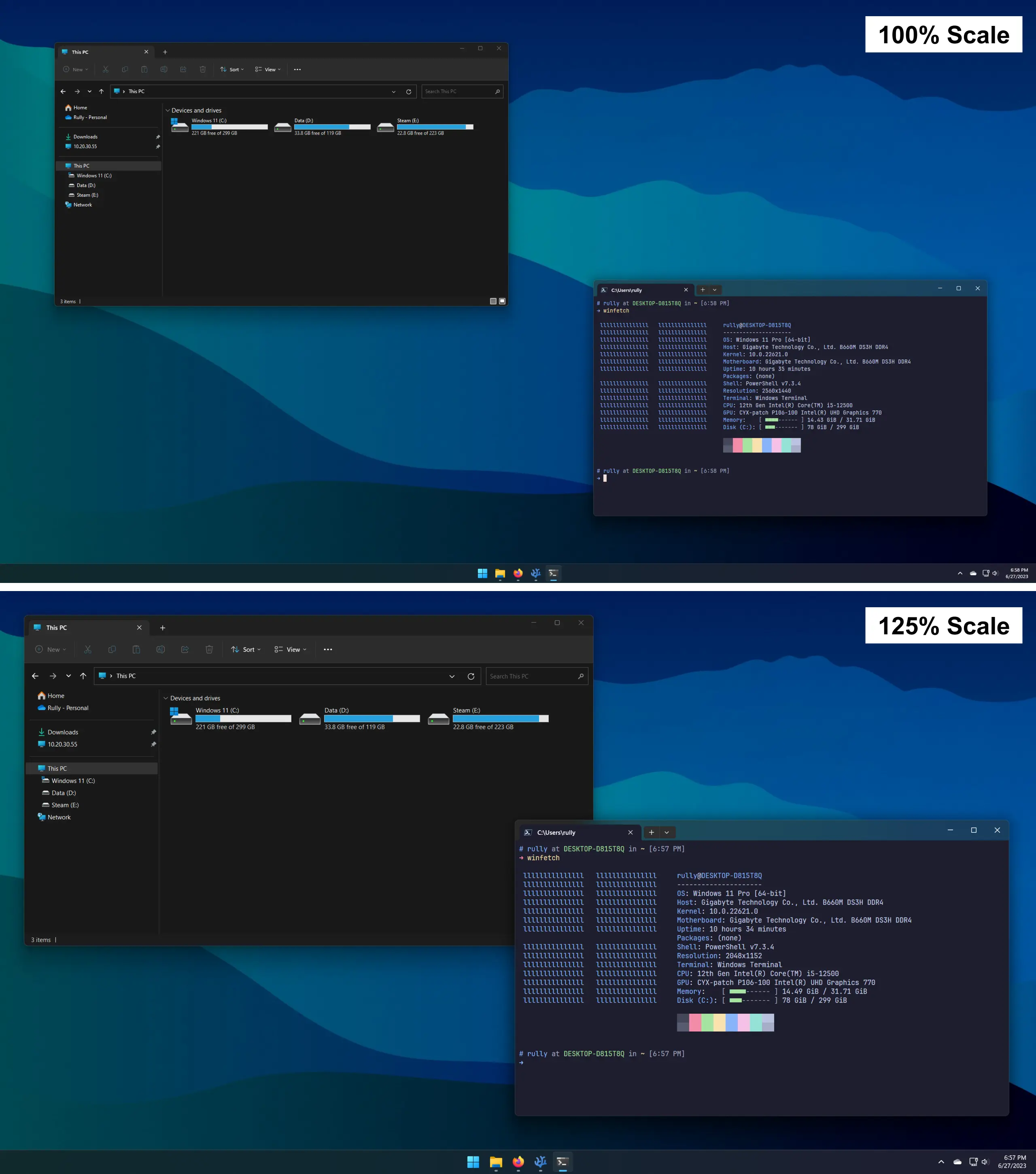
As seen in the comparison above, I am presented with choices that are equally unpleasant. Thus, I concluded that the combination of 1440p resolution and a 24-inch diagonal is to be avoided.
Then How to Choose a Monitor Based on Its Resolution and Diagonal?
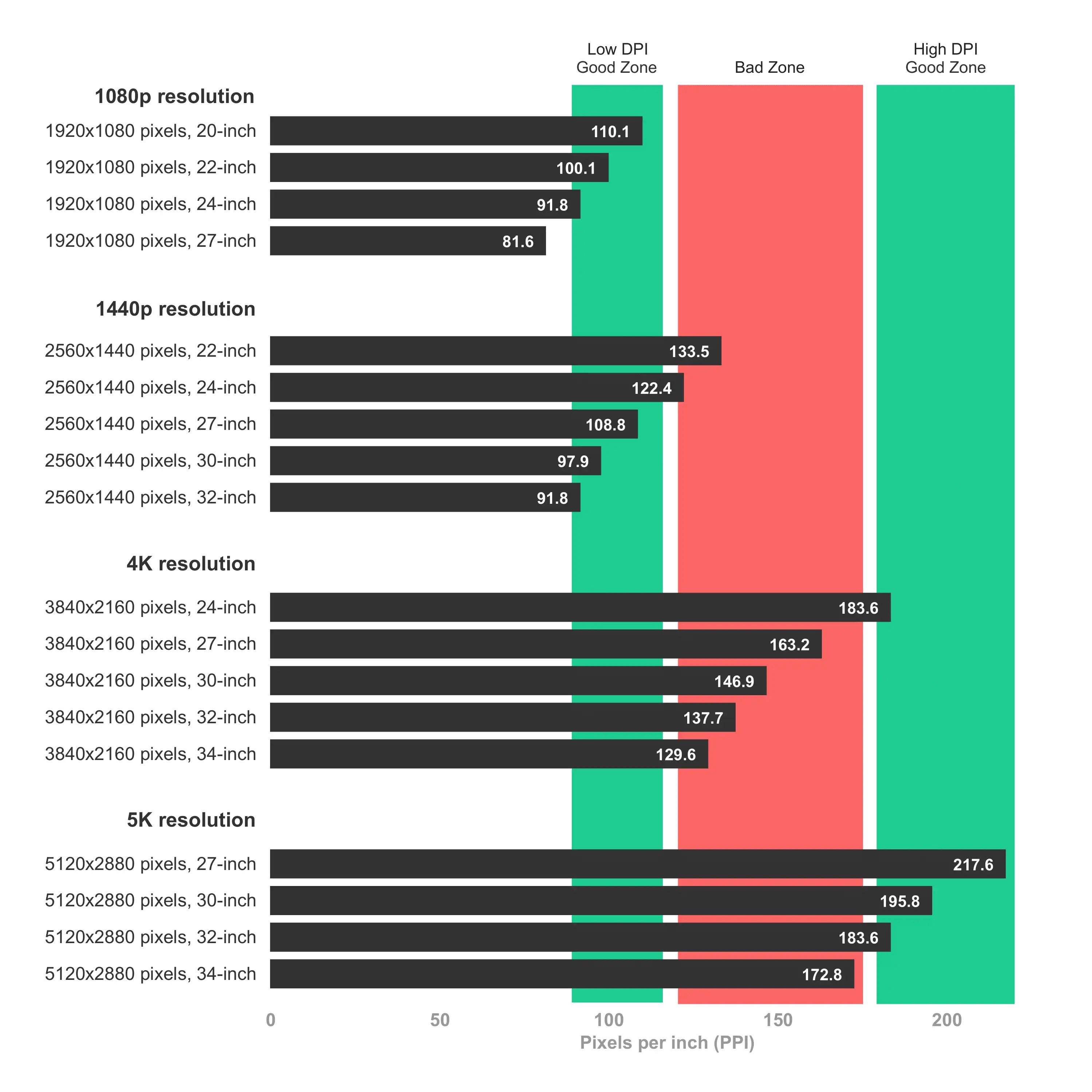
Besides the case of the monitor I bought, there are several other combinations of resolution and diagonal size that should be avoided. I will summarize the combination between the two in PPI, which I have explained the calculation for above. In the chart below, there are three categories of monitors according to their PPI, including:
- Low DPI Good Zone: Good display at 100% scale on Windows or non-retina mode on macOS. 1 pixel on the OS is represented by 1 pixel on the monitor panel (1:1)
- Bad Zone: Combinations that MUST be avoided!
- High DPI Good Zone: Good display at 200% scale on Windows (integer scaling), or retina mode on macOS. 1 pixel on the OS is represented by 4 pixels on the monitor panel (2:1)
Conclusion
Choosing the combination of monitor resolution & diagonal size actually comes back to the purpose of use. If used for gaming, then any combination is suitable because most games can handle many resolution options. Scaling and PPI become less relevant because games are built from shaders and textures rendered in real-time.
It’s a different story if used for content creation or office work, which I do more often. Inappropriate PPI can cause text to be very small and hard to see, but it can also make the display large, take up space, and make some elements blurry and uncomfortable to look at.
Looks like I have to hunt for a monitor again 😖