Used Mining GPU Without Display Output, Can It Be Used for Gaming?
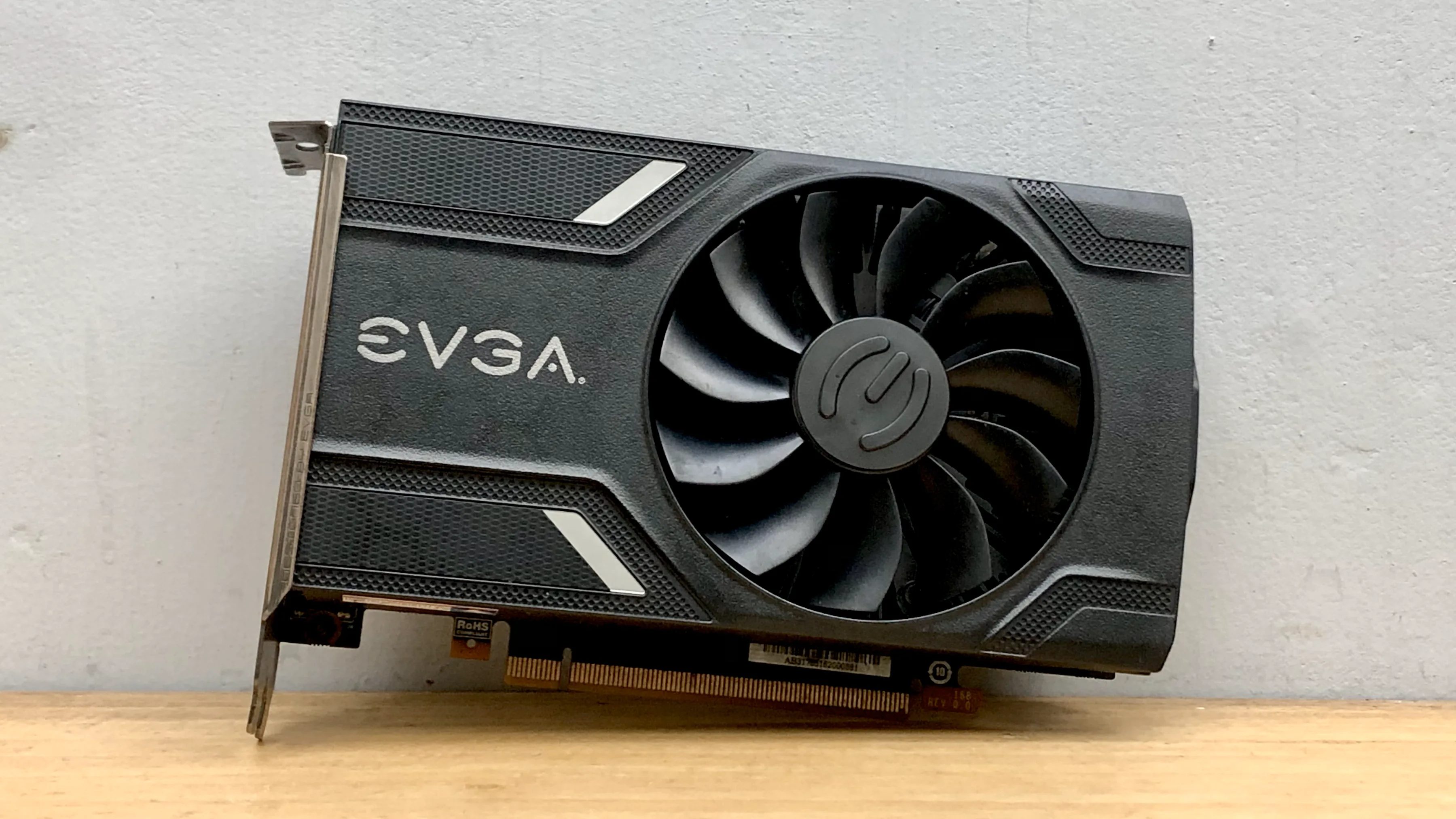
When mining was trending, NVIDIA along with several hardware partners released GPUs specifically for mining. Unlike general GPUs, these GPUs do not have connectors for display output. The mining hype has passed, now leaving piles of used mining-specific GPUs with unclear functions. I got an NVIDIA P106-100 from a marketplace priced at only around IDR 400,000, even though in terms of specifications it is similar to the Geforce GTX 1060 6GB which clearly cannot be obtained at such a low price even in used condition.
Fortunately, there is a trick that can be used to restore the functionality of a mining GPU into a gaming GPU.
Update 2023/06: Some people failed to install the patched driver. Alternatively, you can directly download the following driver and install according to the accompanying instructions. Driver can be downloaded here.
Update 2023/07: Driver patching steps updated according to instructions from the patch made by dartraiden.
Update 2024/01: Driver patching and installation steps are now even easier. Please see the procedure below.
Product Appearance
The P106-100 unit I got was made by the manufacturer EVGA. It’s quite a relief because in my opinion EVGA is one of the manufacturers that produces NVIDIA GPUs with good quality. I got this product for only IDR 480,000. Actually, the seller also sells similar GPUs but with the P104-100 series which is equivalent to the GTX 1070, only a few hundred thousand difference. Tempted at first, but fortunately I got info that the P104-100 series only has a PCI-E Gen 1.1 x4 connection!
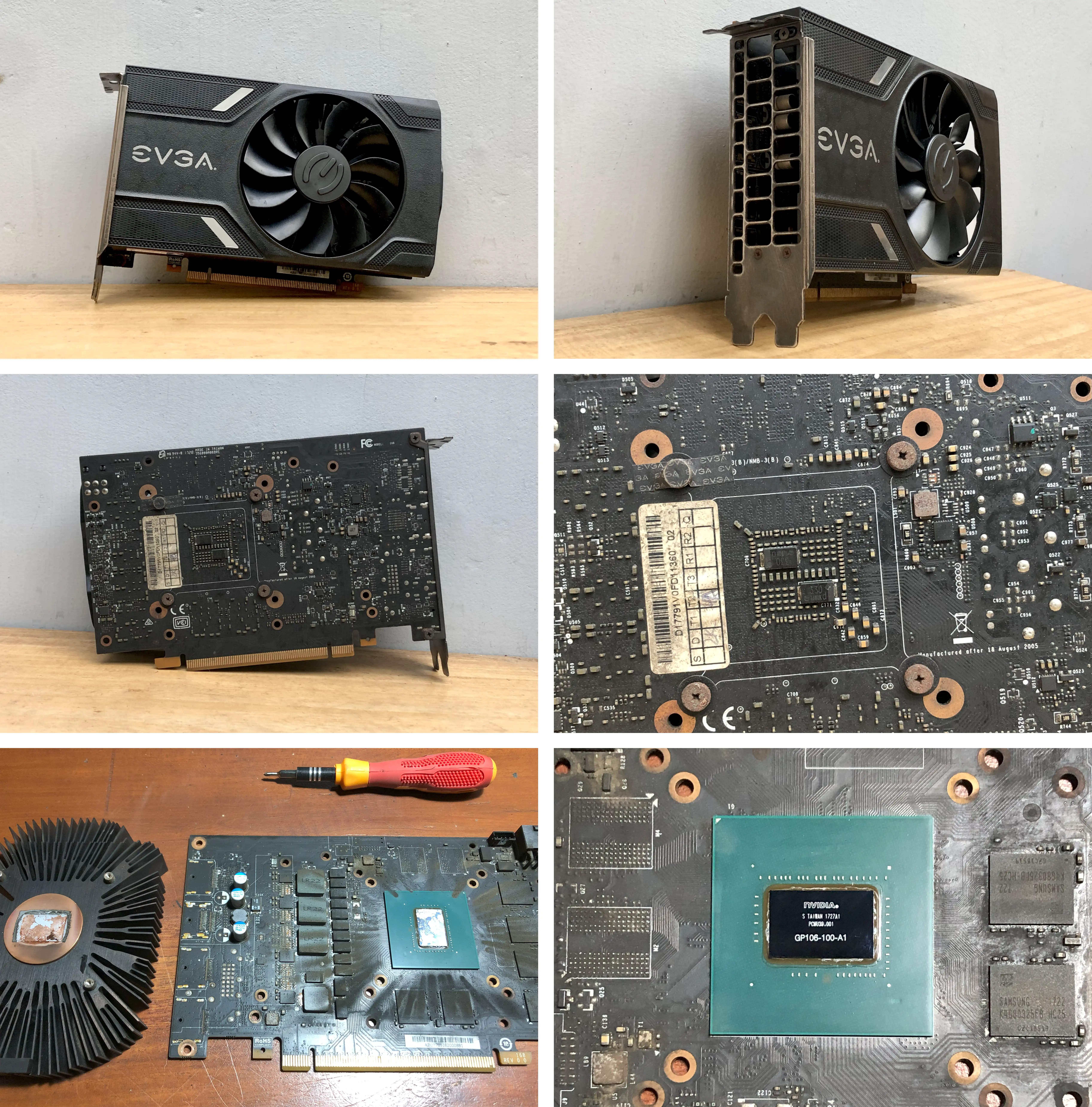
The P106-100 unit I got was quite pitiful: all the plastic clips holding the fan cover were broken, some screws were rusty, and of course the PCB was coated in black dust typical of used mining GPUs. It was a bit hard to clean, especially the heatsink part. But with water and soap, all the dust disappeared instantly. In addition, the remaining thermal paste was dry and had to be replaced immediately.
All these downsides were actually mentioned in the reviews from people on this item’s page, but with such a low price, it feels like money well spent.
Specifications
The P106-100 specifications are very similar to the EVGA GeForce GTX 1060 SC GAMING, with exceptions:
- No display output, requires a CPU + Mobo with iGPU or APU
- Uses PCI-E bus version 1.1 x16 (PCI-E 3.0 x16 on the gaming version)
- Video acceleration not detected with regular drivers
Prerequisites
- CPU and motherboard with Intel iGPU or AMD APU support. Recommended Intel 4th Gen or newer or AMD AM4 G-series platform.
- Motherboard must have a PCI-E x16 slot. PCI-E version is not important, because the GPU only supports version 1.1, and PCI-E 1.1 x16 has bandwidth equivalent to PCI-E 3.0 x4. If the slot used is only x8 or x4, performance will decrease drastically.
- iGPU / APU feature must be activated through BIOS / UEFI
- Operating system uses Windows 10 or newer.
Installation
Windows 10 since version 1803 implements functionality similar to NVIDIA Optimus usually used in laptops. The rendering process will be taken over by the discrete GPU while the integrated GPU is responsible for 2D rendering and displaying output to the screen. The dGPU and iGPU communicate with each other through the PCI-E bus. For that, make sure the iGPU driver is installed correctly, according to the CPU used.
Make sure to turn off the internet connection before starting the steps below
Disable driver installation through Windows Update
This step is important because if it’s not turned off, the patched NVIDIA driver we use could one day be overwritten by Windows Update. Save the following script as a .reg file, then run it.
Windows Registry Editor Version 5.00

[HKEY_LOCAL_MACHINE\SOFTWARE\Policies\Microsoft\Windows\WindowsUpdate]
"ExcludeWUDriversInQualityUpdate"=dword:00000001
Download and patch NVIDIA Driver
Download and extract NVIDIA driver version 551.23 (must be this version) (using 7-Zip or WinRAR). Then download the patched file and extract all files and folders into the same folder where the setup.exe file is located.
Before installing the driver, make sure there has never been another NVIDIA driver installed on the PC. If the PC is clean, then you can proceed to the next step. If not, you need to completely remove the installed NVIDIA driver using the DDU (Display Driver Uninstaller) tool.
Driver installation can be done by right-clicking the install.bat file, then selecting Run as administrator. The installation window will appear, then follow the process until finished.
Edit registry to activate hybrid mode
Open regedit.exe then go to the address HKEY_LOCAL_MACHINE \ SYSTEM \ CurrentControlSet \ Control \ Class \ {4d36e968-e325-11ce-bfc1-08002be10318}. There will be subkeys named 0000, 0001, etc.. Open them one by one and look for the one related to the newly installed NVIDIA GPU. In that subkey, set the key EnableMsHybrid to the value 1 (if the key does not exist, it can be created as a 32-bit DWORD type).
Restart the PC then reconnect to the internet.
Performance
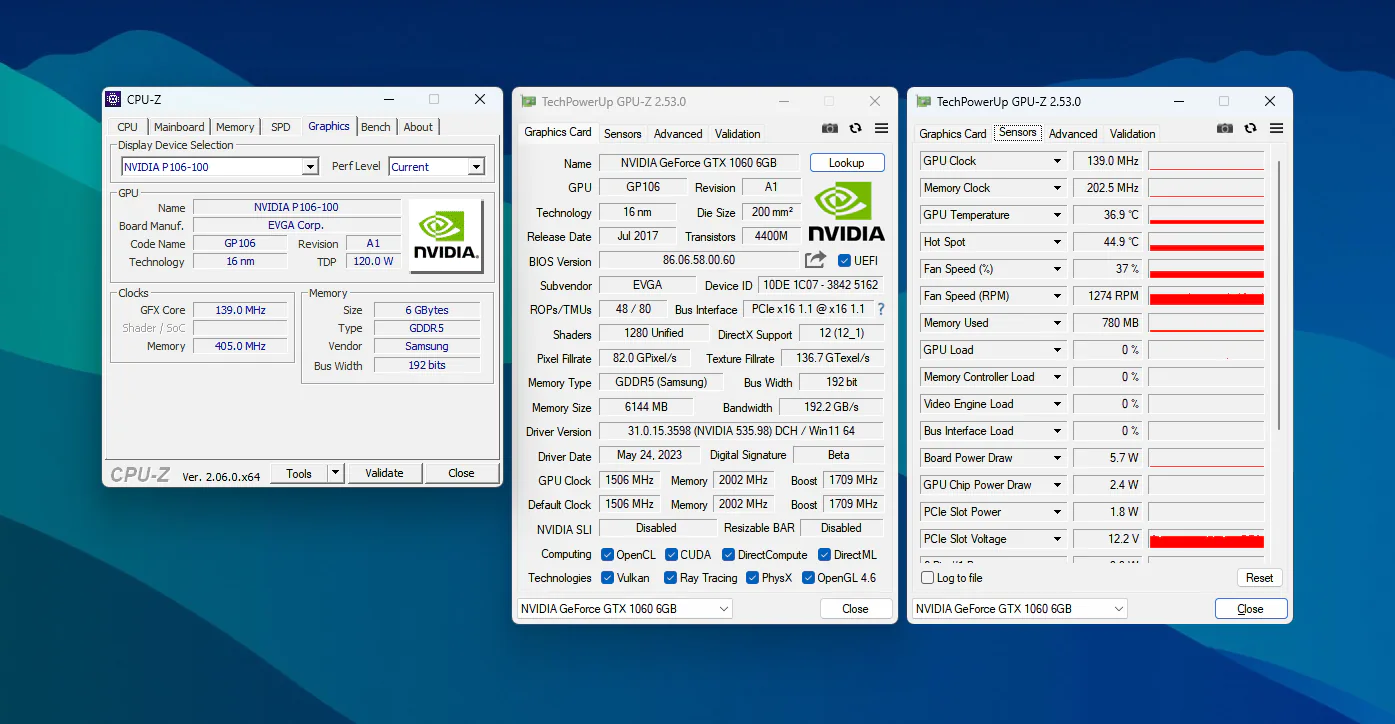
The GPU unit I got runs cool and quiet. Power consumption at idle is only around 5 watts. Temperature at idle averages at 33 °C, while under load the temperature is stable at 70 °C and never higher. When used for gaming, the fan sound is almost inaudible.
Unfortunately, I don’t have a Geforce GTX 1060 6GB GPU to be able to compare directly with this P106-100 GPU. But the good news is, Linus Tech Tips has done a performance comparison using the following devices:
- OS: Windows 10
- Game: Shadow of the Tomb Raider
- CPU: Intel Core i9-9900K
- RAM: 16GB
- GPU 1: NVIDIA Geforce GTX 1060 6GB
- GPU 2: NVIDIA P106-100
The result is very promising, the P106-100 gets an average frame rate of 64 FPS, while the GTX 1060 is at 68 FPS. With a gap of only 4 FPS, of course this result is very good, considering the price of the P106-100 which is very affordable in the market.
However, keep in mind that the results obtained will vary according to the game being run, as well as the CPU & motherboard combination used. The figures above are just a benchmark.
Conclusion
With a cheap price, is this NVIDIA P106-100 worth buying? The answer depends.
If you already have a CPU and motherboard combo that supports iGPU / APU and want to upgrade your GPU but with a tight budget, then this GPU is worth trying. With a GPU priced at around 400 thousand, you can already experience the performance of a GPU priced at 1 to 2 million.