Energy-Efficient Banana Pi NAS
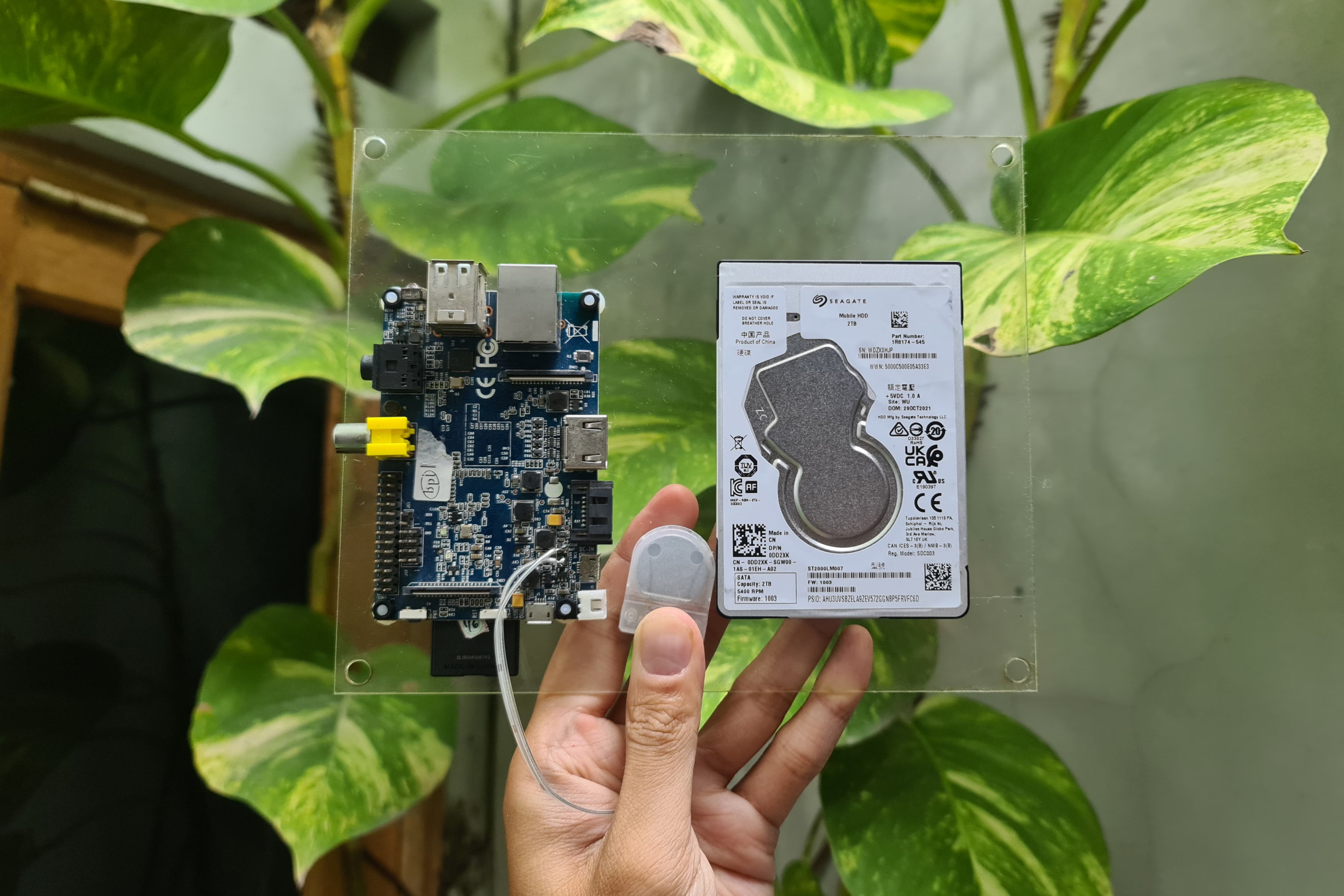
This time I will share my experience migrating my NAS device from an Unraid-based build-up PC to a Banana Pi M1 single-board computer (SBC). The motivation for this migration was that I no longer needed a large amount of storage space and wanted to save on my home server’s electricity consumption. This post is related to the energy savings I wrote about previously.
Background
Although I’ve changed NAS hardware several times, the operating system I used was always Unraid. Its main advantage is that it can combine various hard drives of different capacities into a single array. Each hard drive has an XFS partition that can be read on most Linux devices because Unraid writes complete files to a specific hard drive rather than splitting them bit-by-bit like traditional RAID.
This configuration was attractive to me because I could buy a 2 TB hard drive, for example, at a quite affordable price, and then easily add another hard drive of a different size when I needed more space. I primarily used this storage to store media (movies and series).
However, my storage needs changed when I discovered Stremio, a streaming platform that doesn’t require local storage. Now my needs are only for backing up important files, which doesn’t require much space. It felt wasteful to use an HP 8300 SFF build-up PC, which had to run 24/7 as a NAS device.
Why Banana Pi?
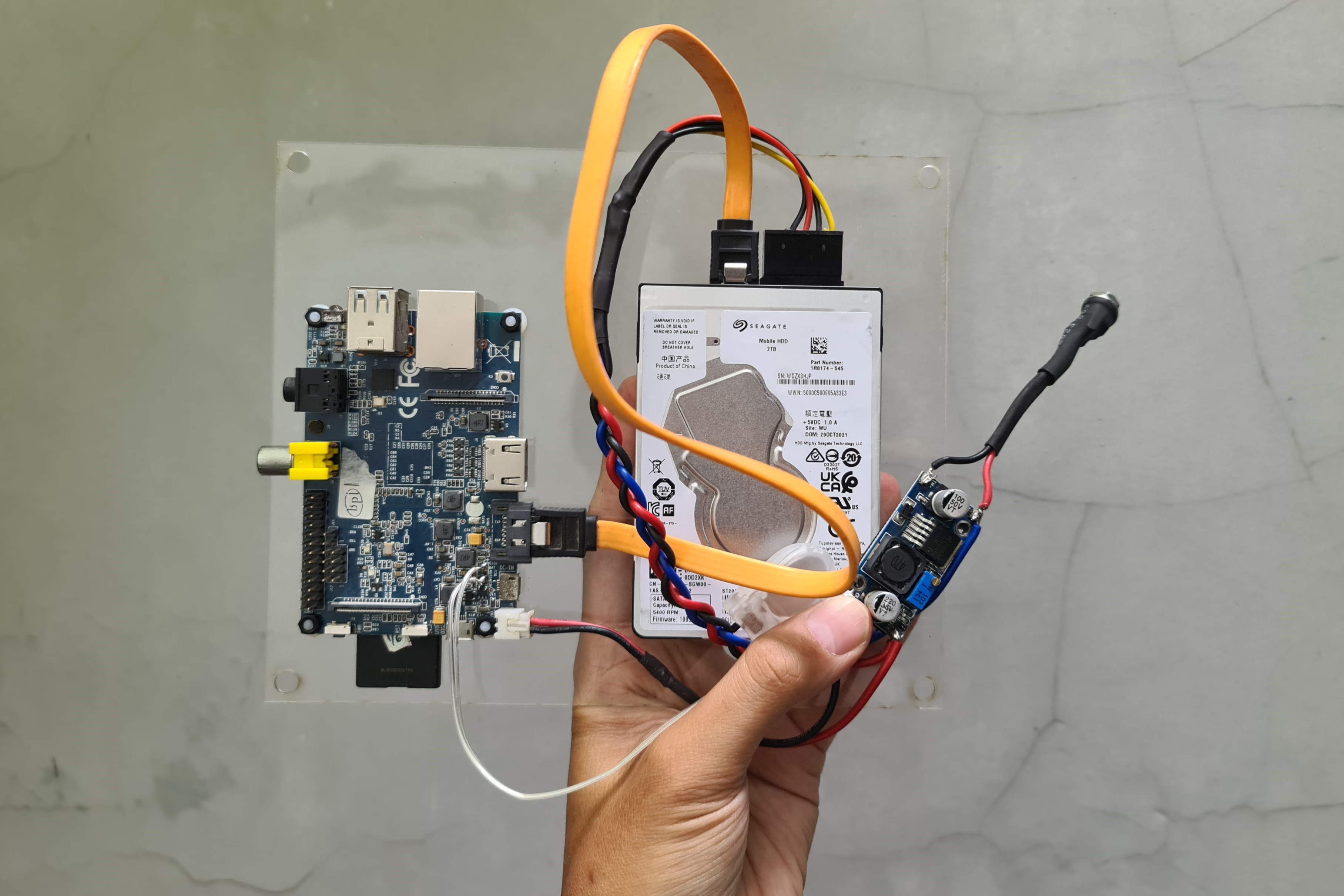
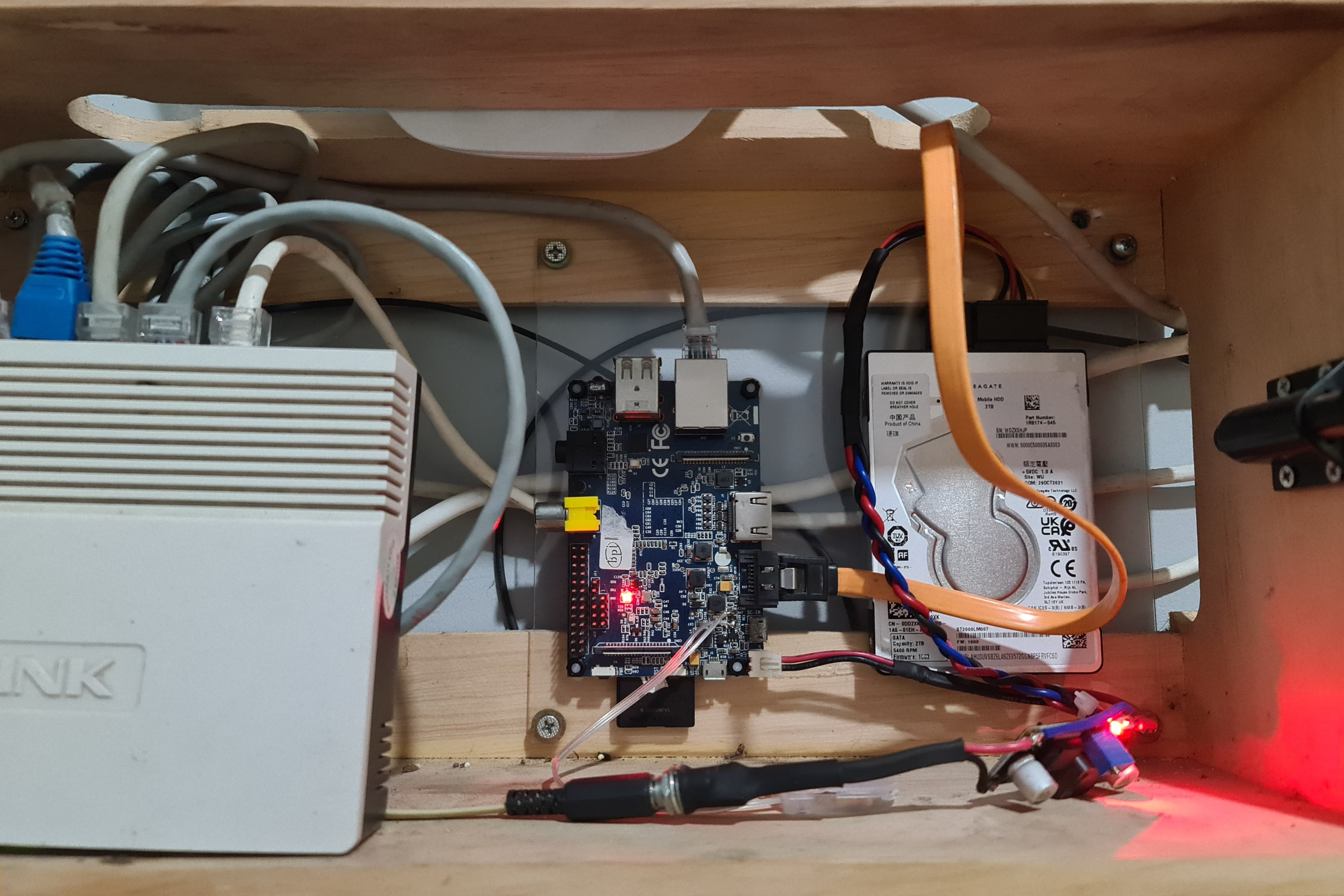
I’ve owned this device since 2016. The Banana Pi has an advantage that the Raspberry Pi lacks: a SATA port, so an internal hard drive can be used directly without needing a USB port. Additionally, this board also has a gigabit ethernet port, which complements the SATA port when transferring data to other devices.
I’ll refer to this Banana Pi-based NAS as BananaNAS.
Here are the specifications for both.
| Component | BananaNAS | Unraid NAS |
|---|---|---|
| CPU | Dual-Core Cortex-A7 ARM @ 1GHz | Quad-Core Intel Core i5-3470 @ 3.5GHz |
| RAM | 1GB DDR3 | 16GB DDR3 |
| Storage | 1 x 2TB 2.5" HDD @ 5400 RPM | 2 x 128GB 2.5" SSD & 2 x 2TB 3.5" HDD @ 5400 RPM |
Test Results
To test a NAS, I wanted to know how fast the transfer speed is over ethernet using iperf3. Meanwhile, the read/write speed on the hard drive via the ethernet network will be tested using NASTester.
iperf3
The first test I performed was a bandwidth test using iperf3. This tool is known to be CPU-bound, meaning the results are influenced by the strength of the CPU used. This test can provide an overview of the difference between Unraid NAS and BananaNAS, which naturally has a weaker CPU than my Unraid NAS.
The command I used was as follows, with the parallel flag (-P) varying from 1 to 4.
iperf3 -c 10.20.30.50 -t 60 -P 1
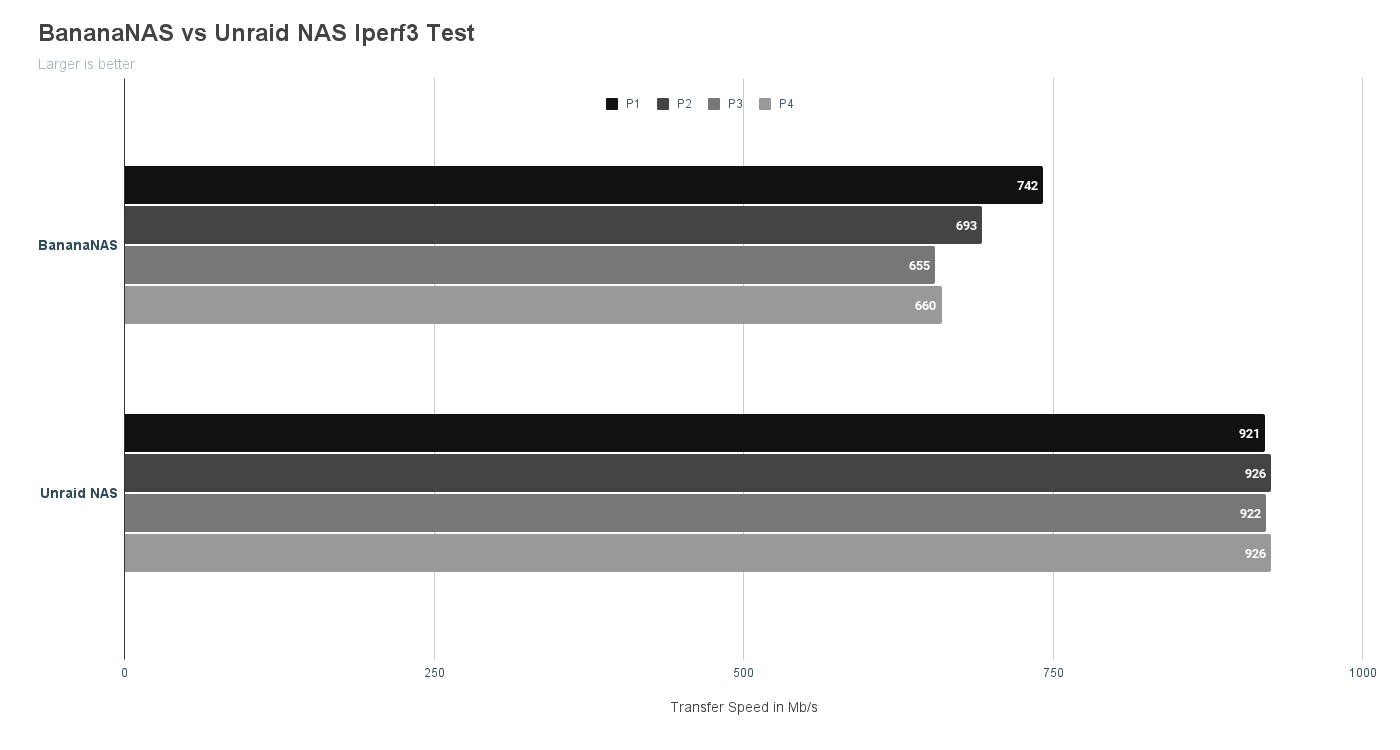
The result was predictable: the BananaNAS was 26% slower than the Unraid NAS with its much higher specs. With an average transfer speed of 687.5 Mb/s or about 86 MB/s, it’s still within the range of 5400 RPM 2.5-inch hard drive speeds, which are between 80 to 100 MB/s.
NASTester
Next, I’ll compare the read and write performance from my main PC to each NAS. The connection between the PC and NAS uses CAT 6 UTP cable to ensure a stable gigabit connection.
This test was performed 7 times on each NAS. Each test, including read and write, used different file sizes, ranging from 100MB to 800MB. The goal was to understand the relationship between RAM capacity and transfer speed, as I suspected a large RAM allows files to be cached before being written to the hard drive.
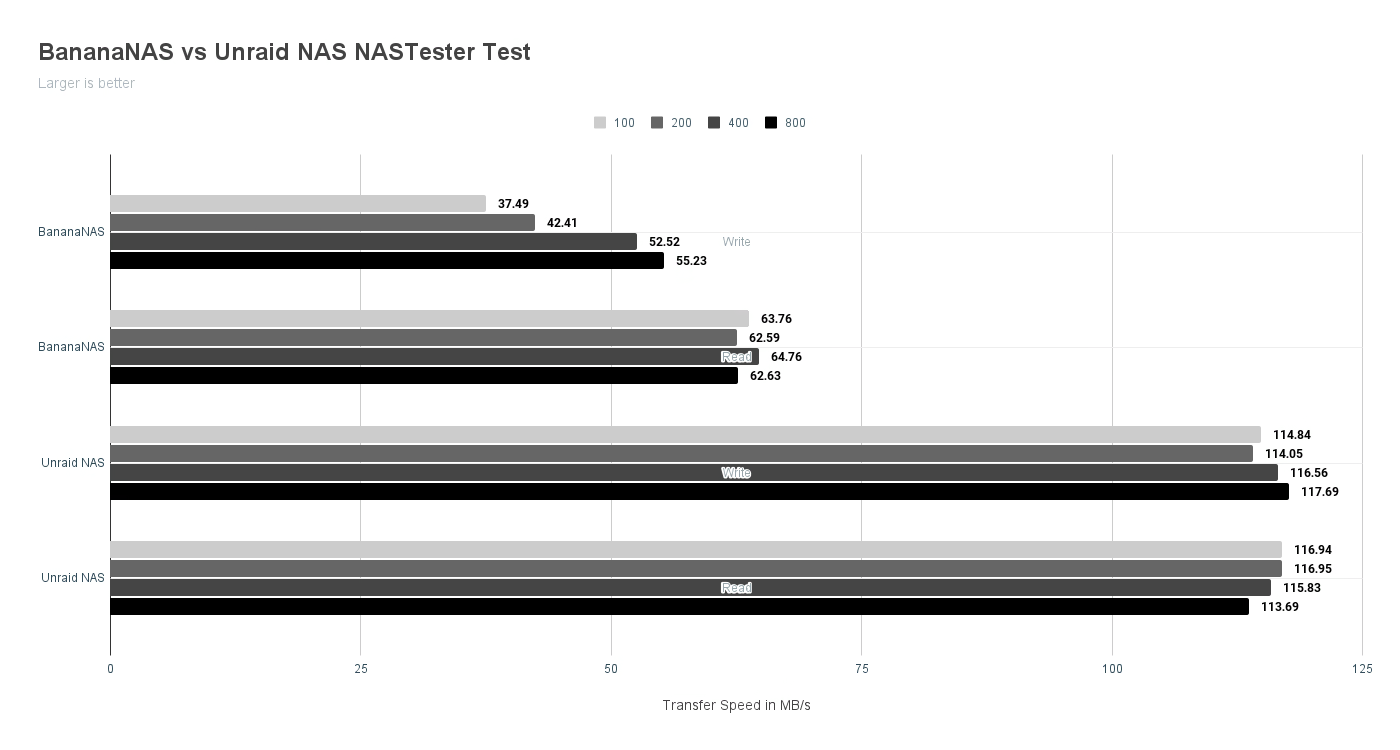
The result: BananaNAS’s transfer speed was 50% slower than the Unraid NAS for both read and write operations. The write speed of BananaNAS for small files appeared slower compared to larger files. Meanwhile, the Unraid NAS appeared more stable across all transferred file sizes.
Power Consumption
Since switching to BananaNAS, the electricity consumption for the NAS device has dropped from 36 watts to only 4 watts! Assuming the NAS device is on 24/7, the monthly electricity cost for the NAS can be reduced by up to Rp50,000.
Conclusion
Migrating from an Unraid NAS to a BananaNAS sounds like a downgrade. However, considering my needs have changed—from storing large media files to just a backup device—I feel the BananaNAS is quite sufficient.
The monthly electricity savings are very attractive, especially since I built the BananaNAS using a device I already owned, so there’s no need to worry about ROI.
Stay curious! ✨