Why Do the Same RAW Photos Look Different?
The RAW format is certainly no stranger to those of you in the world of photography. RAW has its advantages, including excellent shadow recovery, flexibility in color grading, and details that simply can’t be found in the JPG format. These benefits are because RAW stores the raw data from the photo taken.
The analogy of “raw” for the RAW format and “cooked” for the JPG format seems very fitting. Imagine food: if you have a cooked meal and share it among several people, the taste each person experiences will be relatively the same.
However, if raw ingredients are shared, each person will process them in their own way. The results and flavors can vary widely, depending on taste, cooking experience, and the spices used.
A bit about how cameras capture light
⚠️ Image not found: bayer_filter.avif
The sensor is the part of the camera responsible for capturing light. Unfortunately, the sensor can only distinguish between light intensities (bright/dark), without any color information. To overcome this, a Bayer filter is placed in front of the sensor.
The Bayer filter is shaped like a grid. Half of the grid consists of green filters, while the other half consists of red and blue. This filter only allows light of the same color to pass through to the sensor. With this data, the sensor can eventually capture color information.
But the problem is, each pixel behind the filter only has color information for one color.
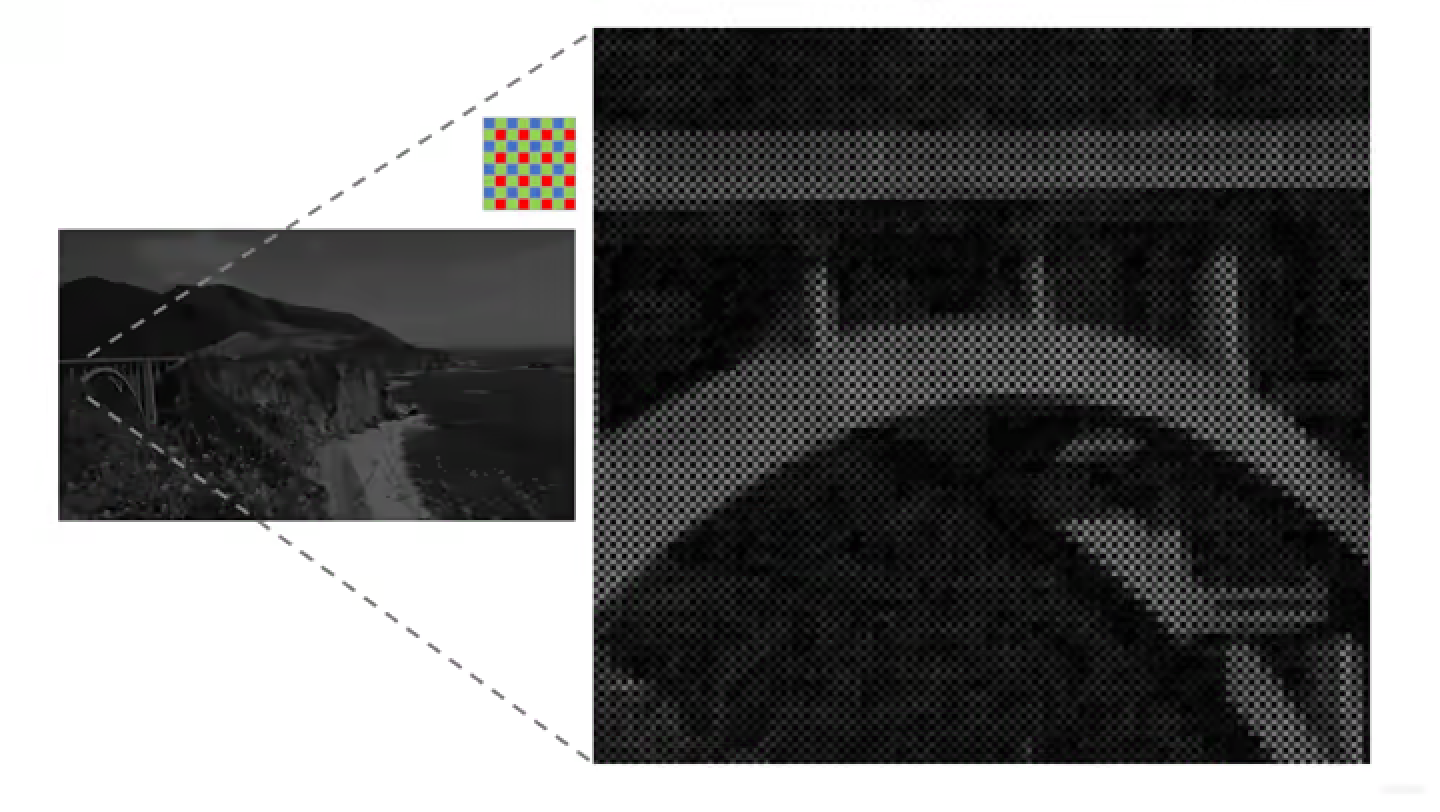
A demosaic process is required to change information that was previously mosaic-like (note the black spots on the pixels in the image) into an image with appropriate color and lighting as it should be.
Demosaicing is just one step of several pipelines a camera must go through to capture light and turn it into digital information. There’s white balance, color correction, gamma correction, and denoising. Each step, if performed differently in method and intensity, will produce a different image.
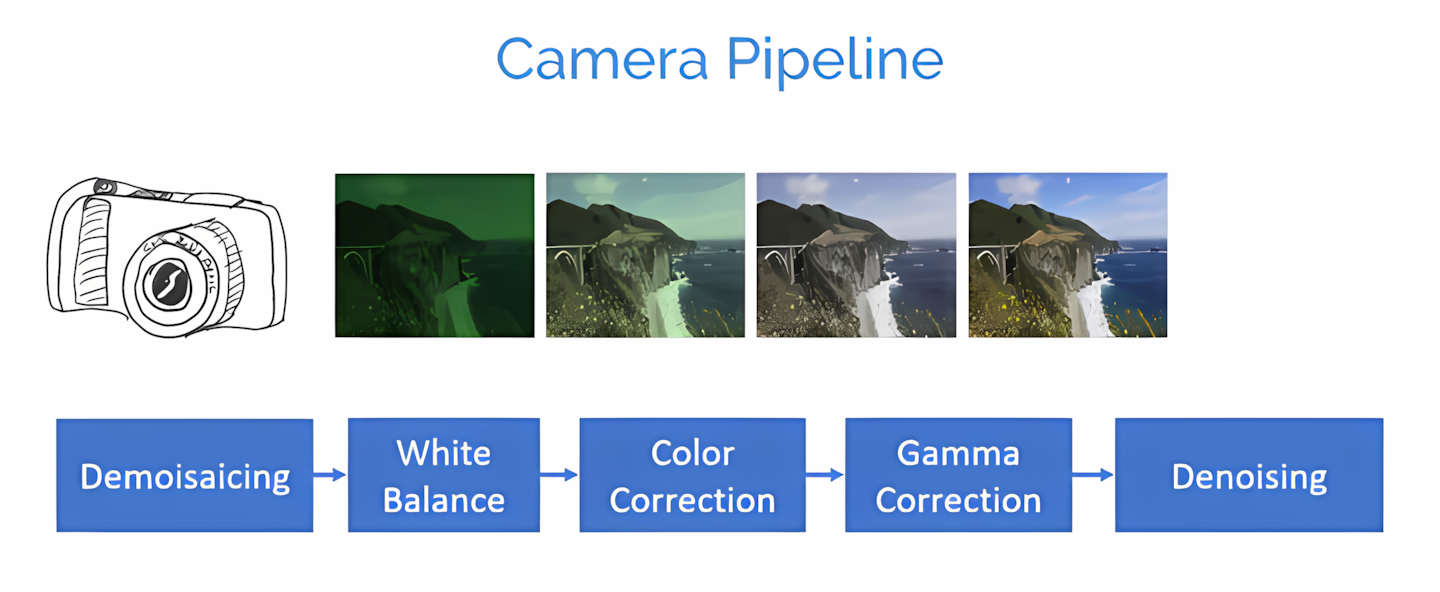
Different apps, different ways to process RAW data
Remember, a RAW photo is data from the camera sensor’s reading that is still truly raw. Apps need to apply their own processing pipelines to convert the raw Bayer data into a meaningful photo.
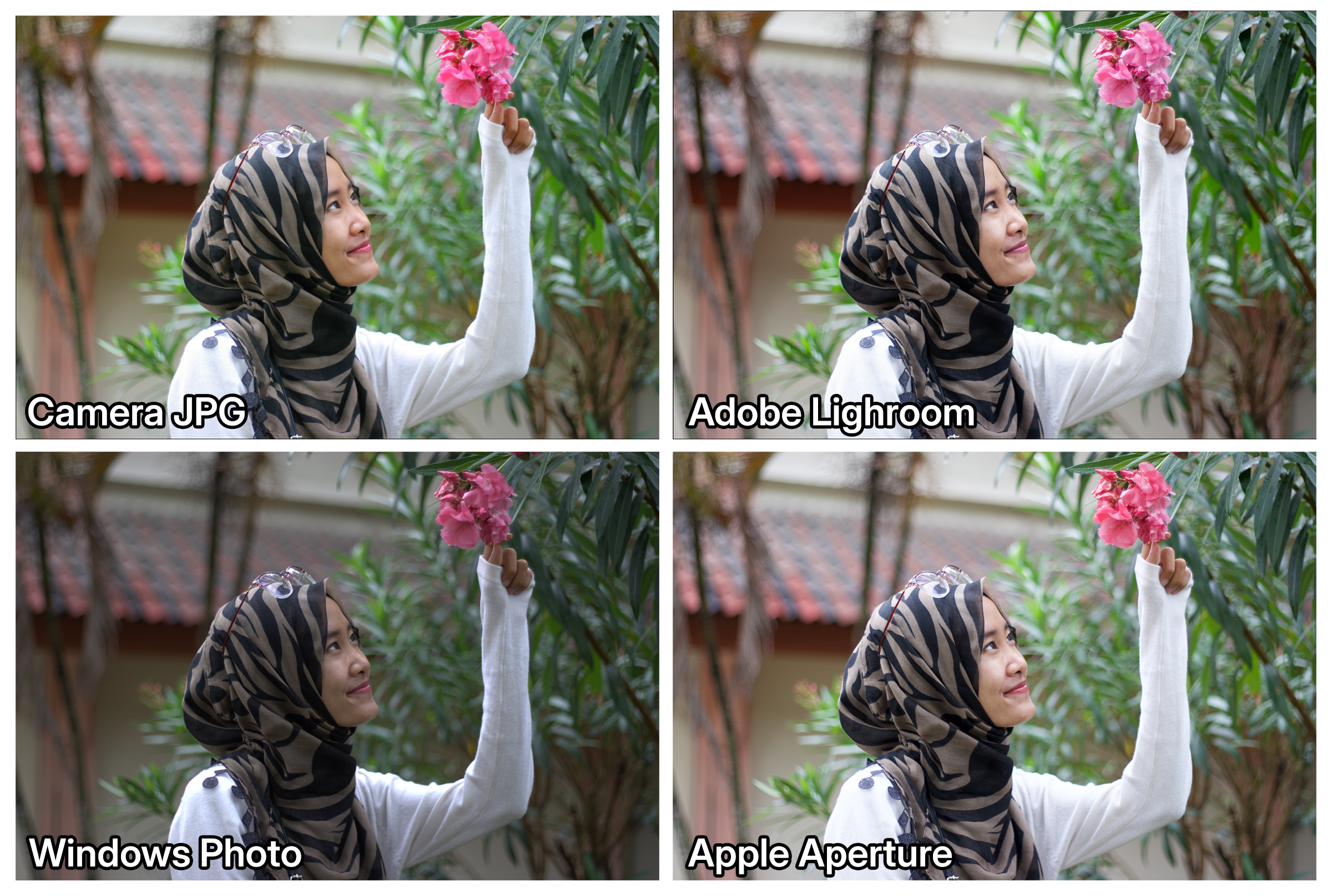
Here I compare 4 images: 1 JPG result from the camera, and 3 from applications capable of processing RAW. The results… are quite varied, to say the least.
The Camera JPG will process according to the profile selected at the time the image was taken, in this case, Canon Standard. Other enhancement features like Auto Lighting Optimizer or noise reduction will affect the resulting JPG.
Adobe Lightroom, as the de facto photo editing app for many, uses the Adobe Color profile for every RAW photo it processes. I like this profile because it aims to produce relatively uniform images even when taken with different camera brands and models.
Windows Photos, which is more often used just to display images without editing, appears to process the RAW photo with lower exposure levels than the others. In my opinion, this app is just basic for displaying RAW photos.
Finally, Apple Aperture produces an excellent image. It’s similar to the image produced by Lightroom with its Adobe Color profile. However, for me, the flower color produced by Lightroom is more true to reality than Aperture’s.
Fun fact: RAW files also store small JPG images as previews
Even though a RAW photo is unprocessed raw data, cameras still embed a small JPG format image inside it. The goal might be as a backup in case an application cannot process the RAW data; it can still display this JPG image.
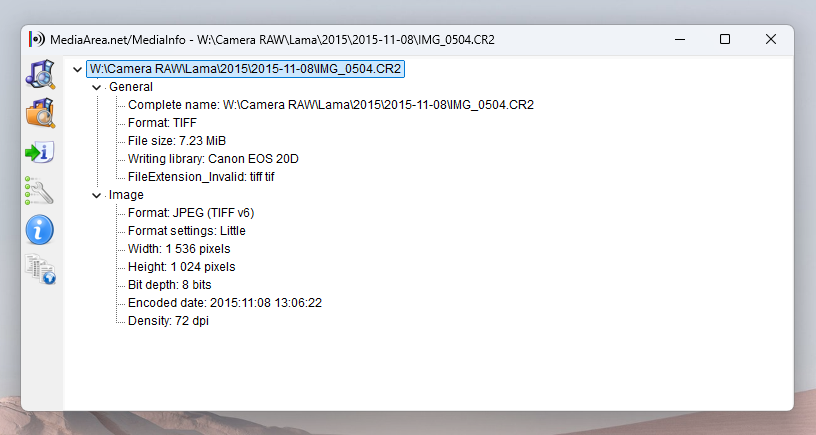
I tried examining a Canon RAW file using the MediaInfo app, and it shows that besides storing the raw data (TIFF), it also carries a JPG file with a smaller size and resolution than the raw data itself.
Another way to prove this JPG image exists is to try opening the RAW photo using Windows Photos. For the first second or two when the image appears, that’s the JPG image. The app uses this JPG while the RAW data is being processed. Once the result is obtained, the image is replaced with that processing result. This makes it seem like the image is changing.
This also applies in Lightroom. In Library mode, it displays the JPG preview by default (you can see Embedded Preview written in the bottom right corner), while in Develop mode, it displays the image resulting from RAW data processing.
Thanks for reading and stay curious! ✨