Factory Reset UNV IPC322SR3-VSPF28-C
I like to tinker around, including with my home CCTV setup. It just so happened that my NVR still had one open slot for an IP Camera. So, when I found someone selling a used UNV IP Camera on Tokopedia for under 200 thousand rupiah, I was immediately tempted to buy it.
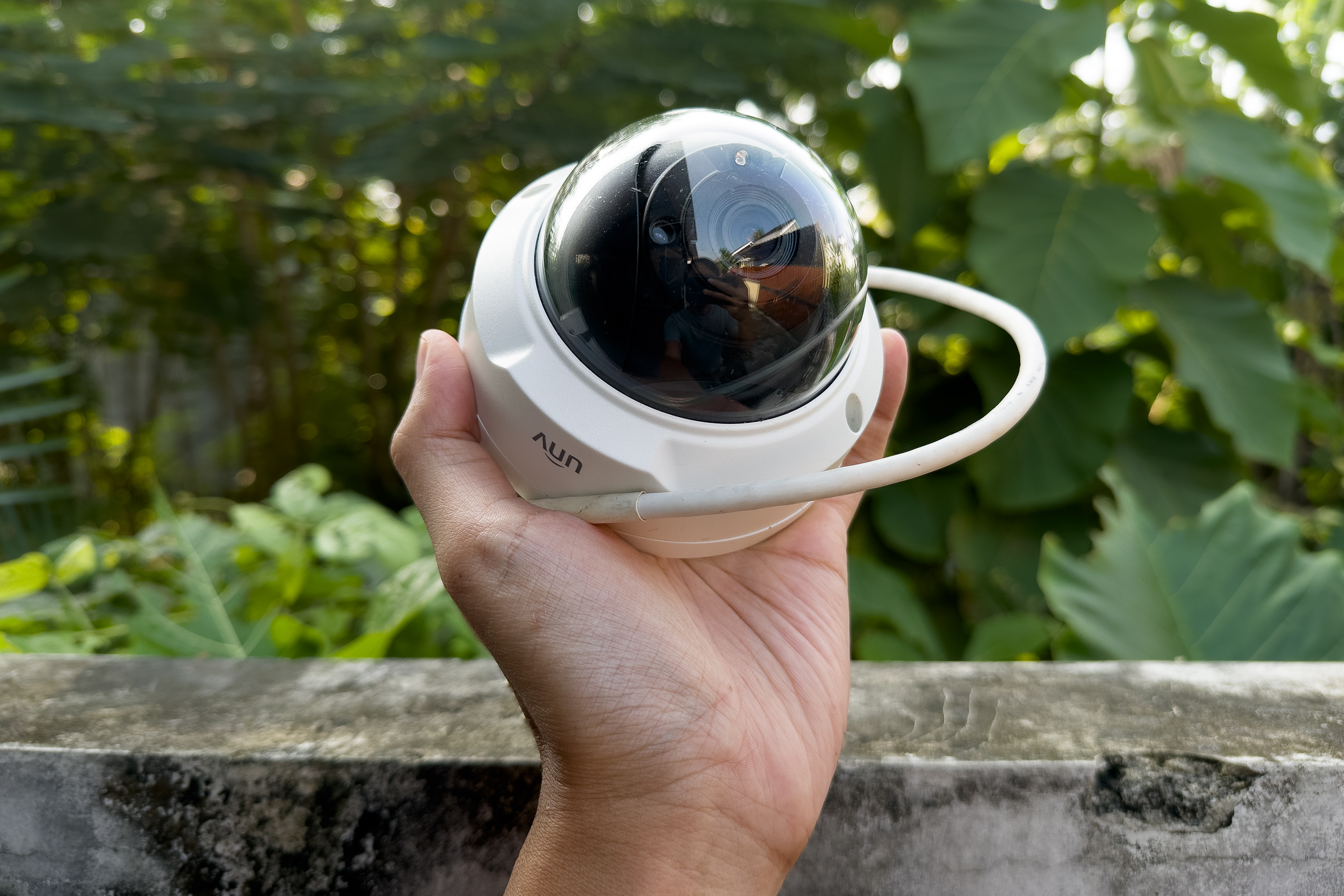
After looking closely, the listing mentioned that the username and password for the IPC were unknown. Hmmm, it must be an ex-office unit, I thought. The problem was, after searching the web, I couldn’t find a specific tutorial to hard reset this exact IPC322SR3-VSPF28-C model.
I had previously bought a used IP Camera (EZ-IP IPC-T1B40) where there was also no specific hard reset tutorial online, so I figured I would just find the necessary jumper pins for the process once I took the device apart. I thought resetting this UNV camera will also be as easy as EZ-IP, but it turned out I was wrong.
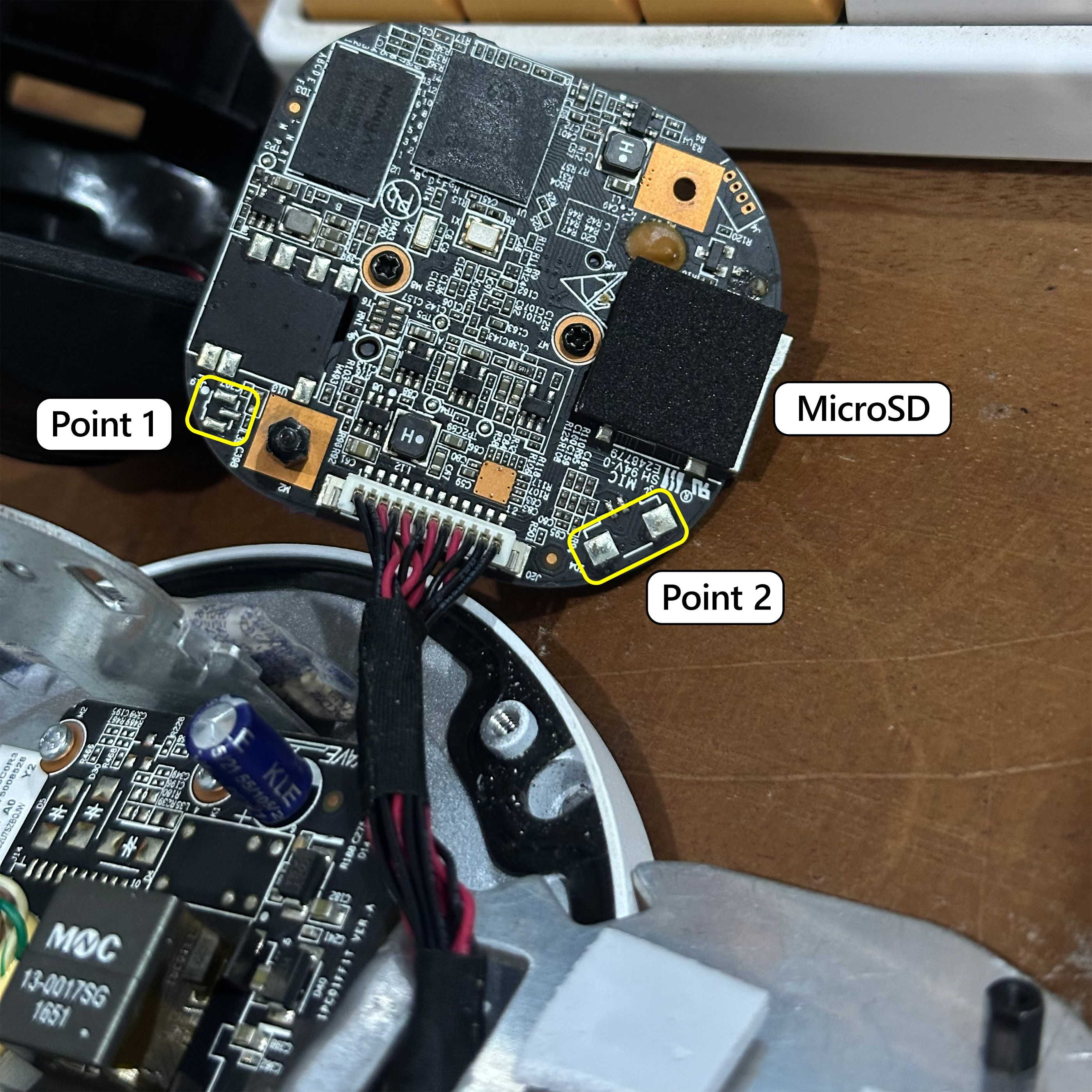
After taking it apart, I couldn’t find any obvious contact points meant for a hard reset. I finally tried shorting the pins at point 1 and point 2, and it actually worked. The IP Camera was restored to its factory settings with the DHCP client enabled, or accessible at 192.168.1.13 if it couldn’t find a DHCP server.
Warning!
I am only sharing my personal experience in this post. Any damage that may occur from following the steps in this blog is your own responsibility.
But then again, since I wasn’t entirely sure which pins were actually meant for this reset, and my random attempt just happened to work, please proceed at your own risk.
Good luck 🚀